How-to guides, shown on real screens
Step-by-step guides to timesheets, client sign-off, invoicing, stand-ups, leave and reporting in LogTicks. Each one says what the feature does today and where it stops.
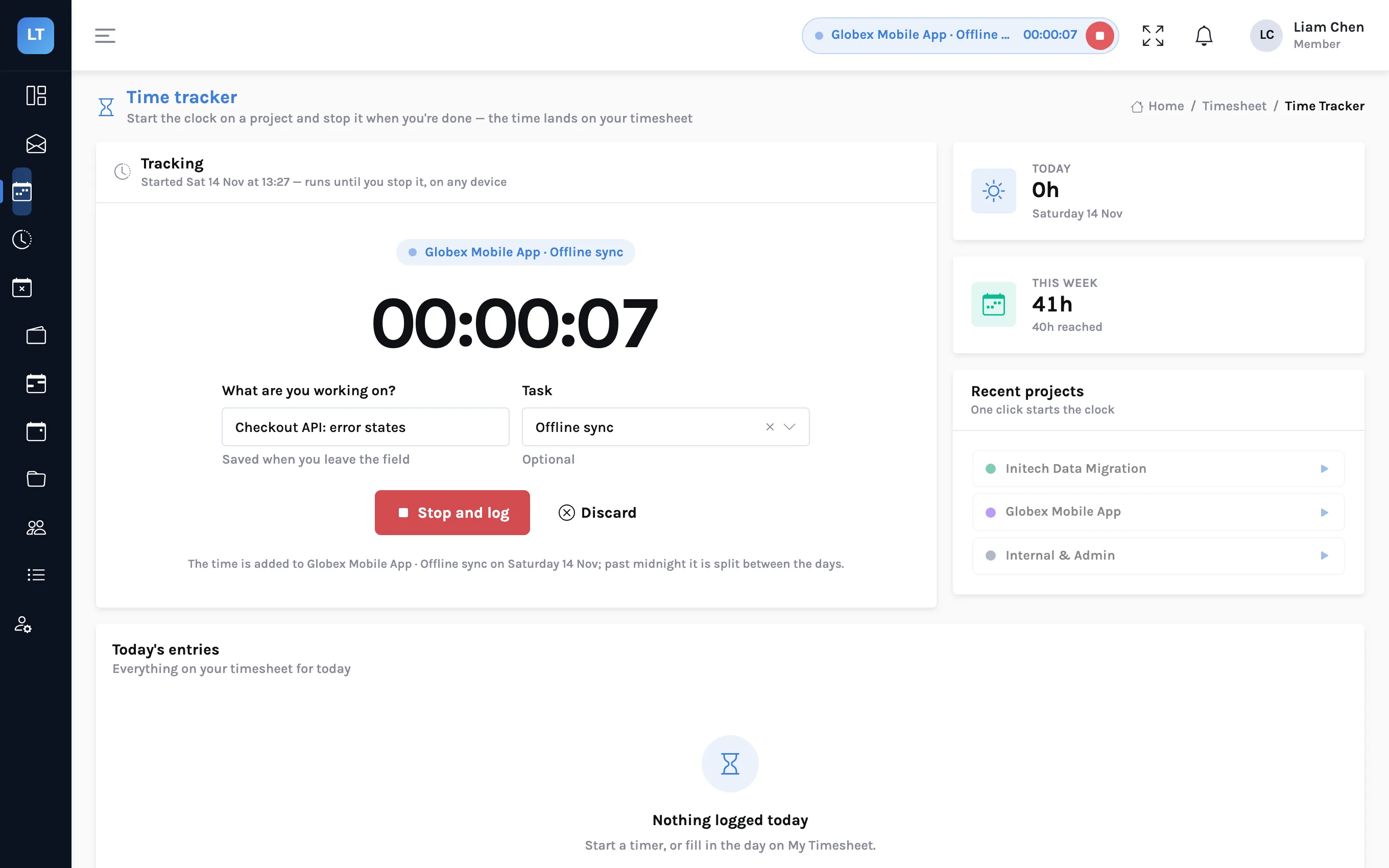
Timing work across devices, and logging it against tasks
Start a timer on your laptop and stop it on your phone. Log the time against a task as well as a project. Install LogTicks from the browser, and keep Quick entry working without a signal. What each of these does, and where it stops.
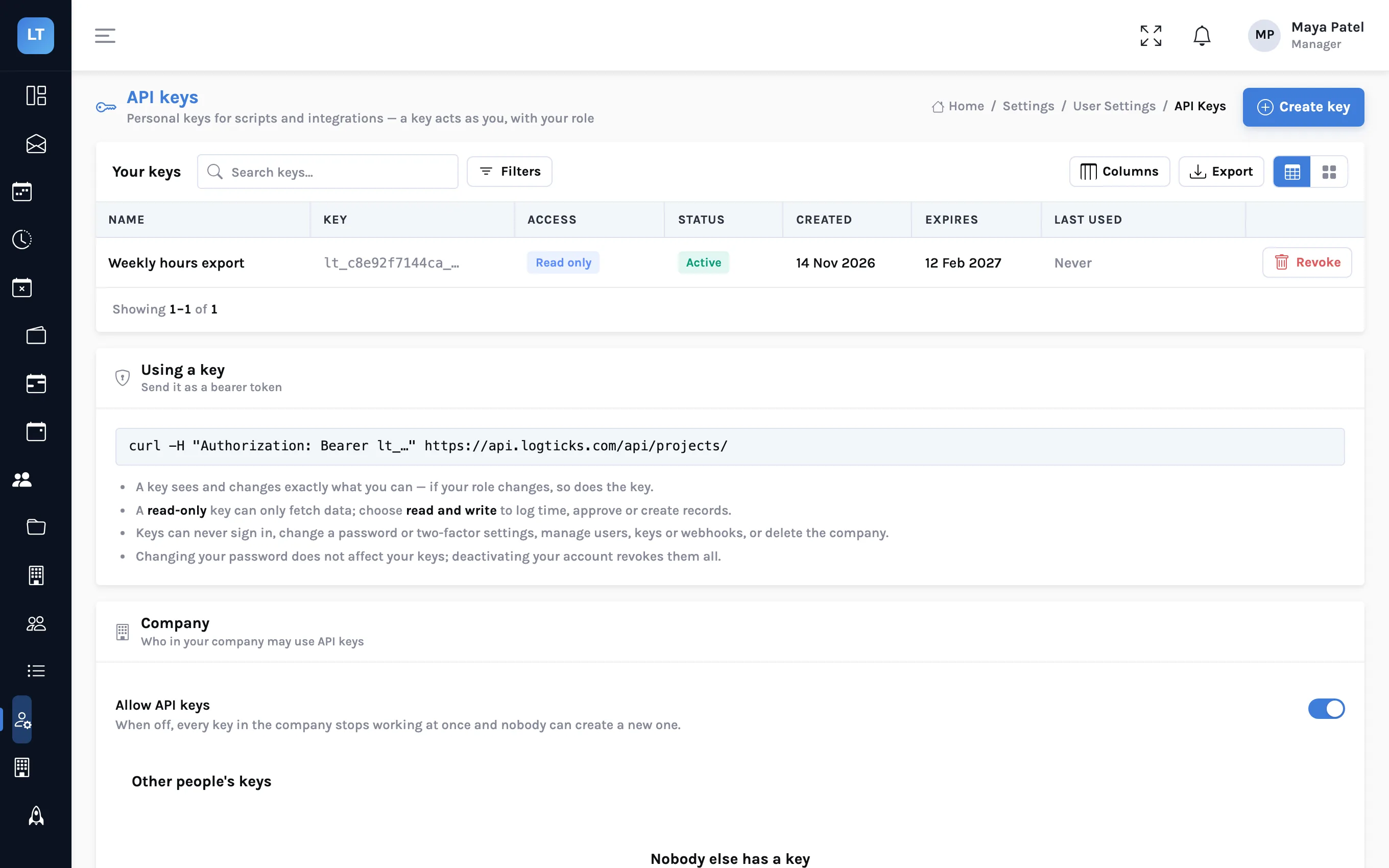
Connect LogTicks to your own tools: API keys and webhooks
Pull a week of hours into a spreadsheet with a personal API key, and have LogTicks tell your own system when a timesheet is approved or an invoice is paid. With curl examples and a signature check you can copy.
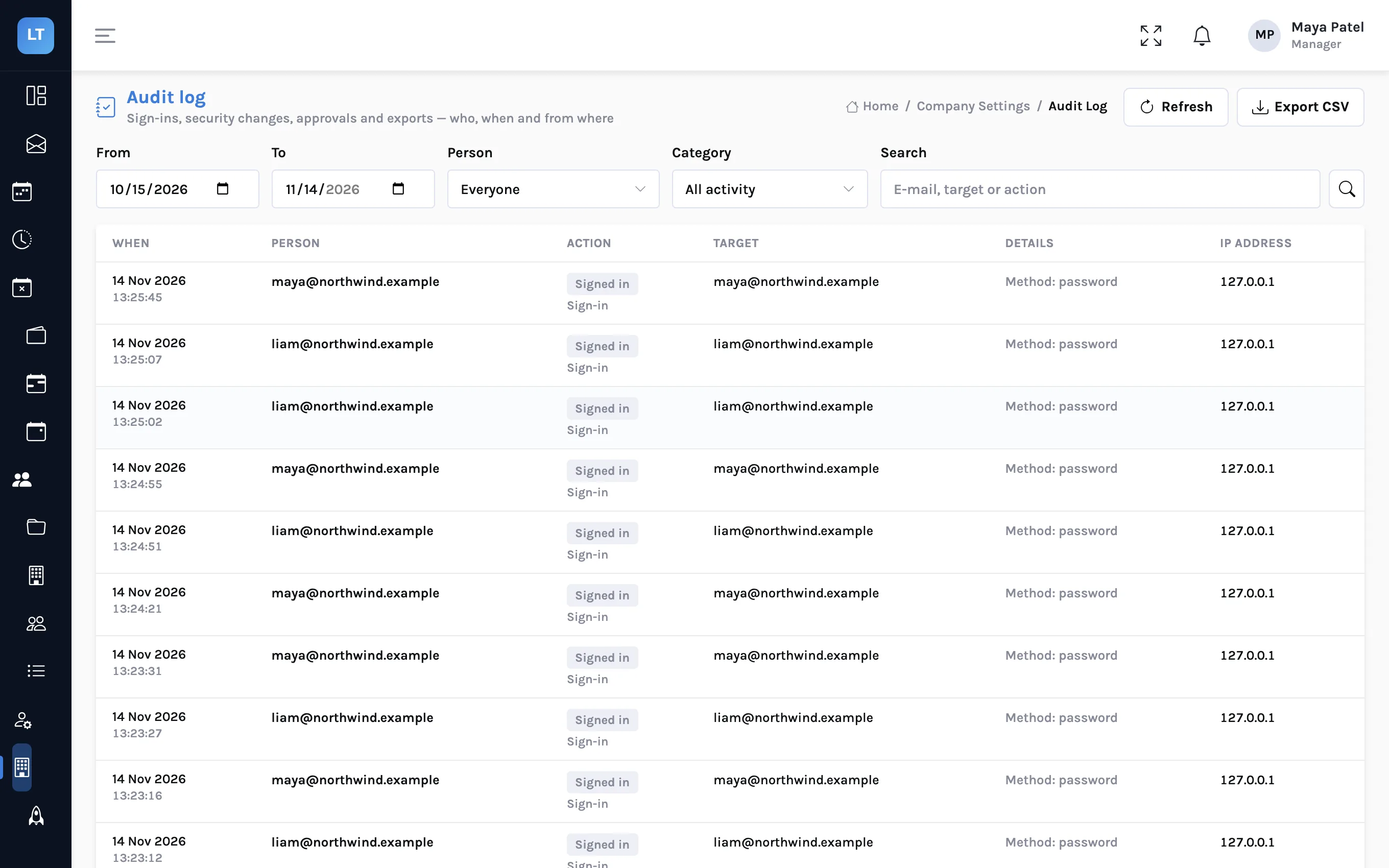
Two-factor sign-in and an audit log for a small team
A small firm holds its clients' hours, rates and invoices behind a handful of passwords. How to turn on authenticator-app codes, require them for managers or for everyone, and read the audit log when someone asks who did what.
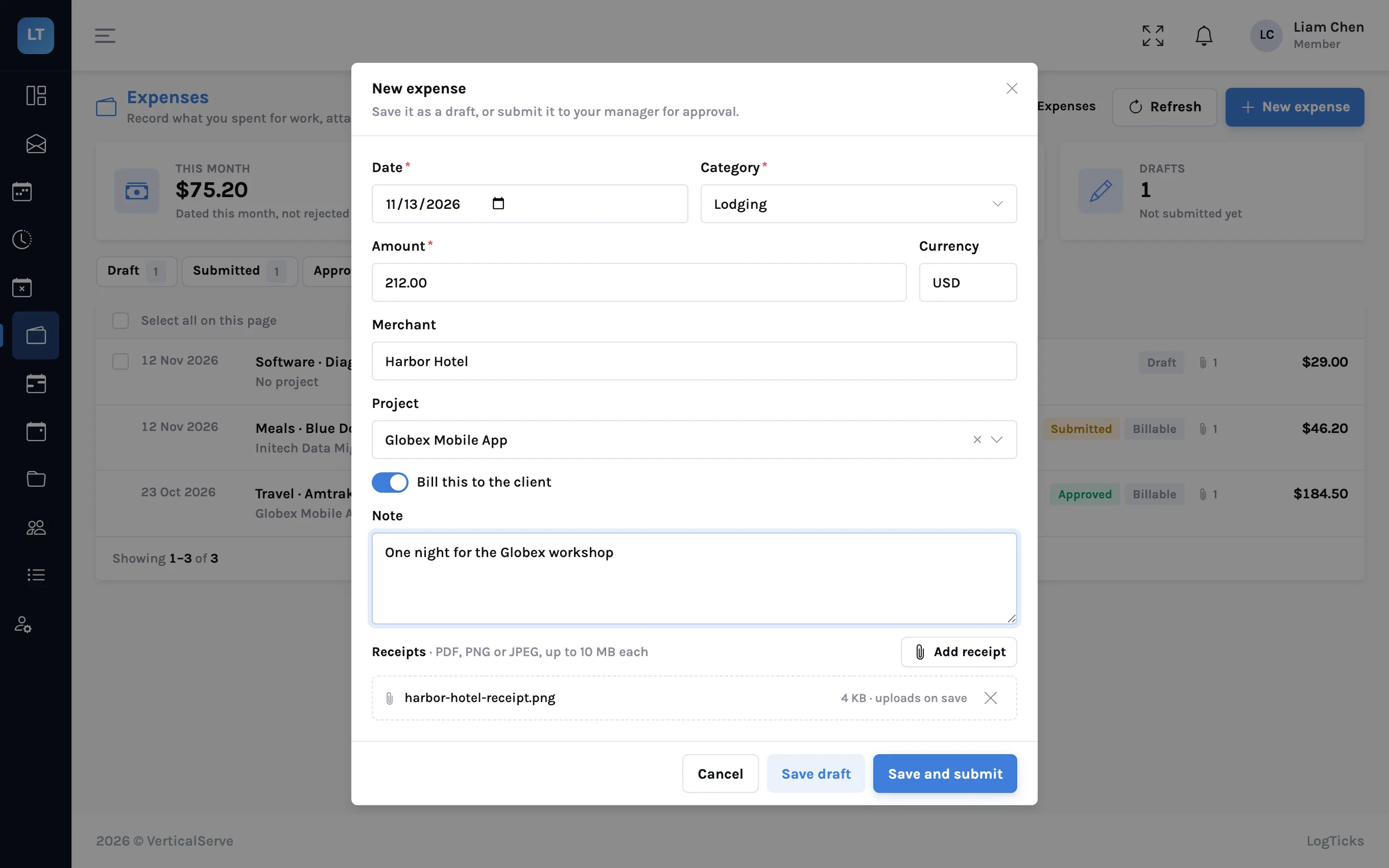
Expenses from receipt to invoice
A train fare for a client workshop, followed from the photo of the receipt to a line on the client's invoice: recording, approval, reimbursement and billing in LogTicks, and what it does not do.
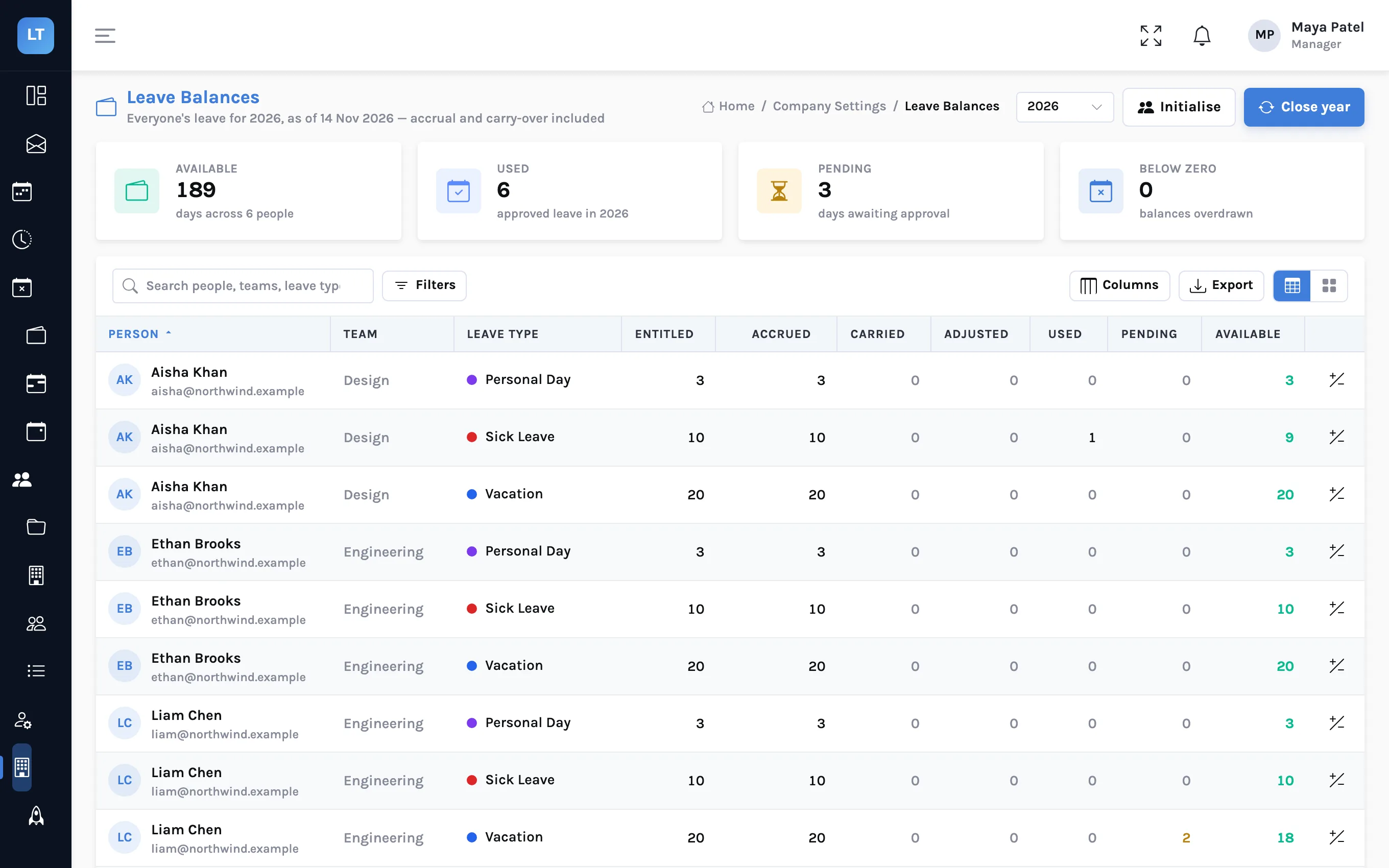
Leave that accrues: monthly accrual, carry-over and closing the year
Two ways a leave type can hand out days, what carries into next year, and how a manager closes the year with a preview. With the balances table that shows where every number came from.
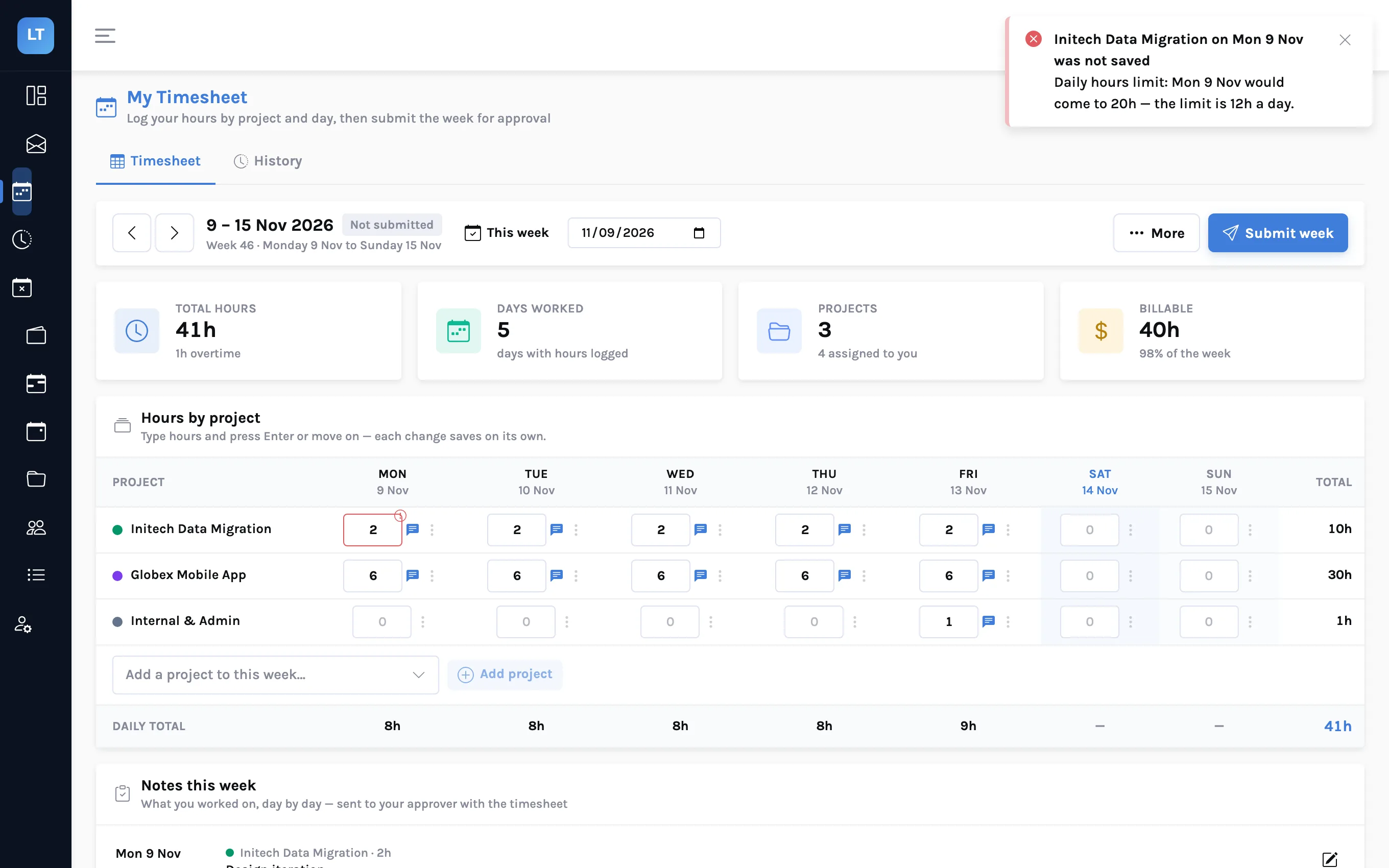
Rules that stop a bad timesheet before it is submitted
A 20-hour day, an entry from three weeks ago, a week with no descriptions: project rules catch them when the time is saved, not when the manager reviews it. How to build rules that block, warn or alert, and what they cannot do.
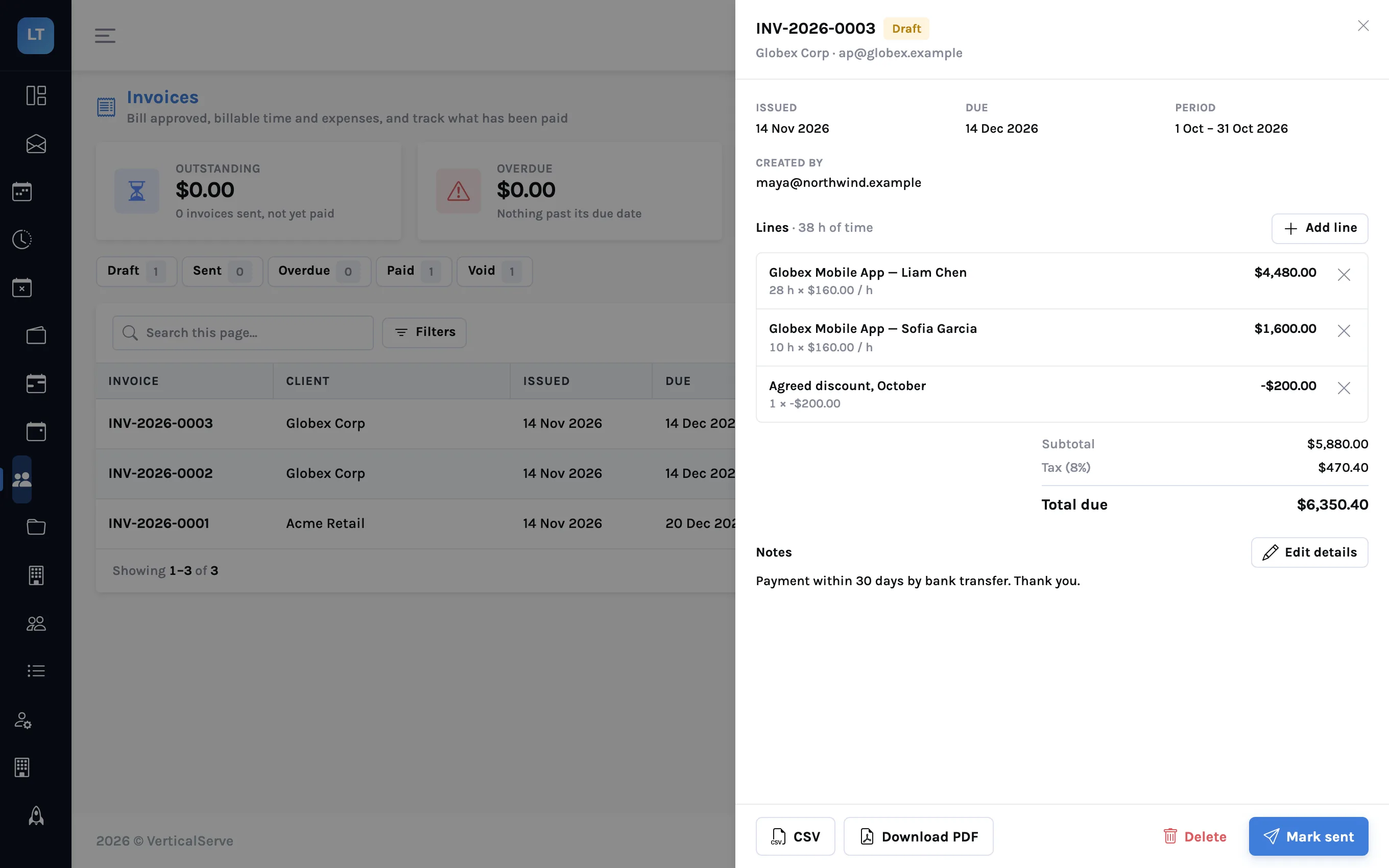
From approved timesheets to an invoice
Closing the month for one client: approve the weeks, draft an invoice for the client and period, check the preview, add tax or a discount, download the PDF, and mark it sent and paid. With what LogTicks invoicing leaves to you.
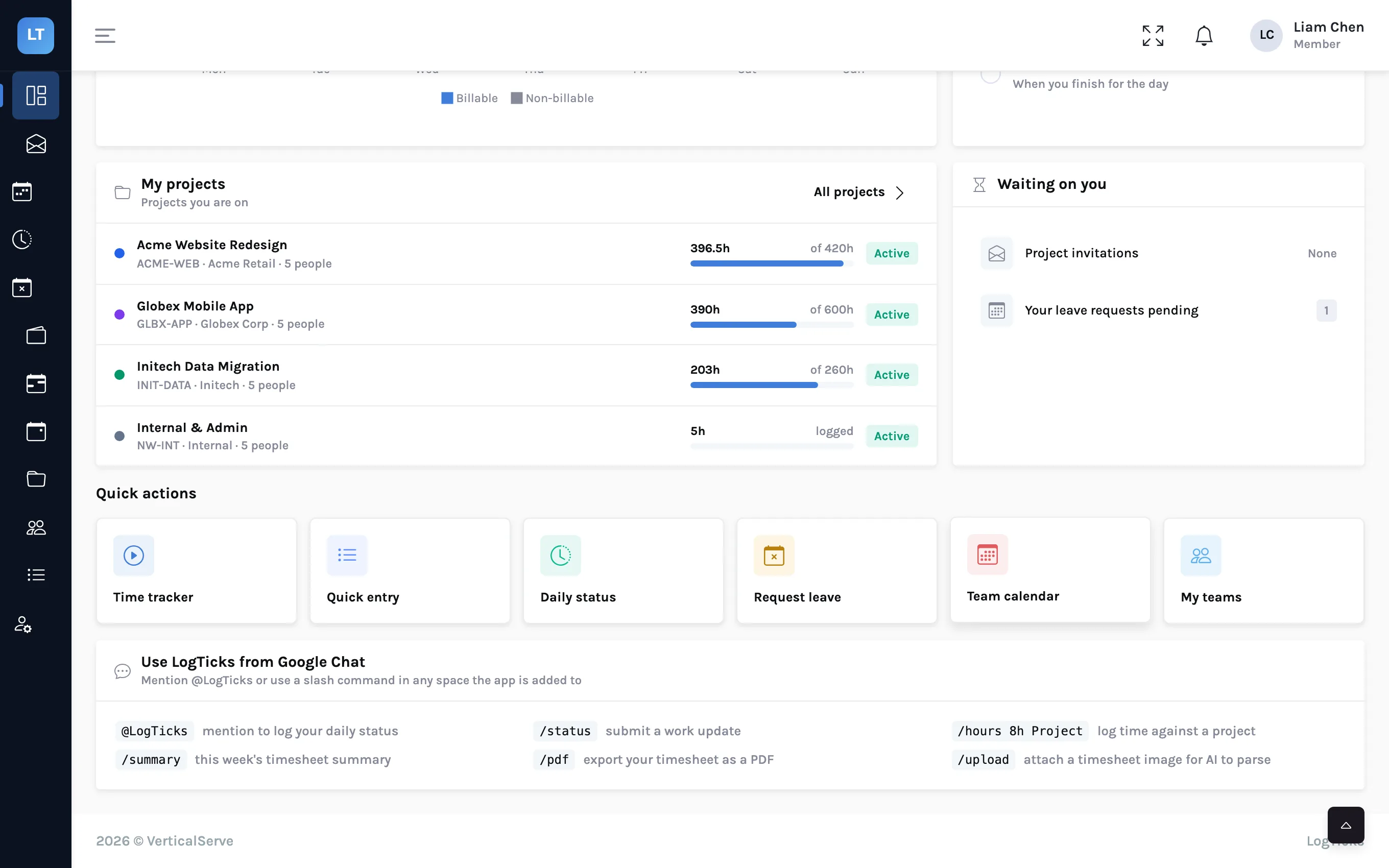
Running async stand-ups in Google Chat
Post a daily status, log hours and pull a weekly summary without leaving the chat space your team already has open. Every LogTicks command for Google Chat, with what each one replies.
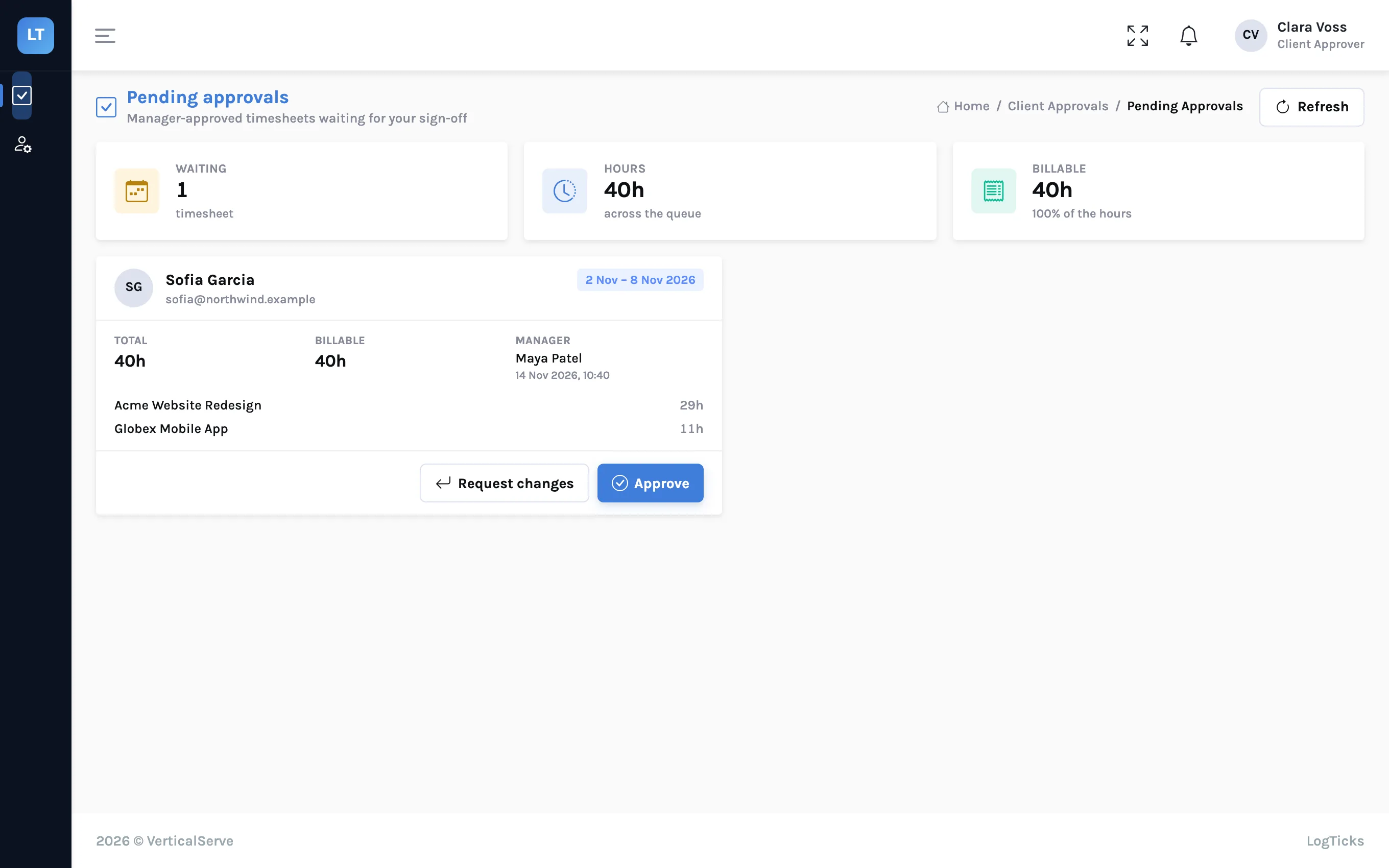
Getting client sign-off on timesheets without email threads
Give the client's own person a queue of manager-approved weeks to approve or send back. How the client approver role and two-stage approval work in LogTicks, step by step.
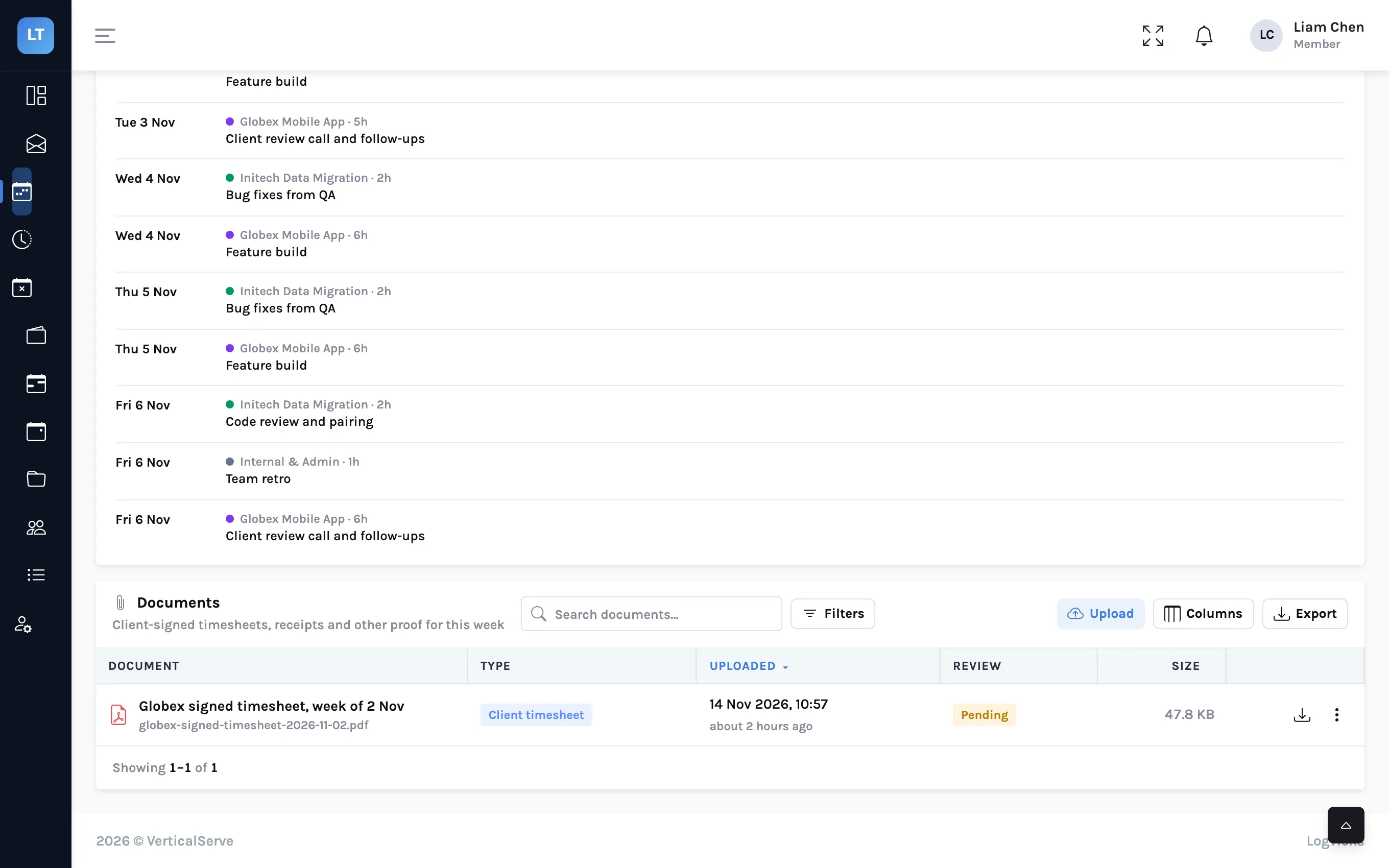
Attaching the client's signed timesheet to your own
Many clients sign hours in their own system. Keep that signed sheet on the same week as your timesheet, so the approver sees both and nobody hunts through a shared drive at invoice time.
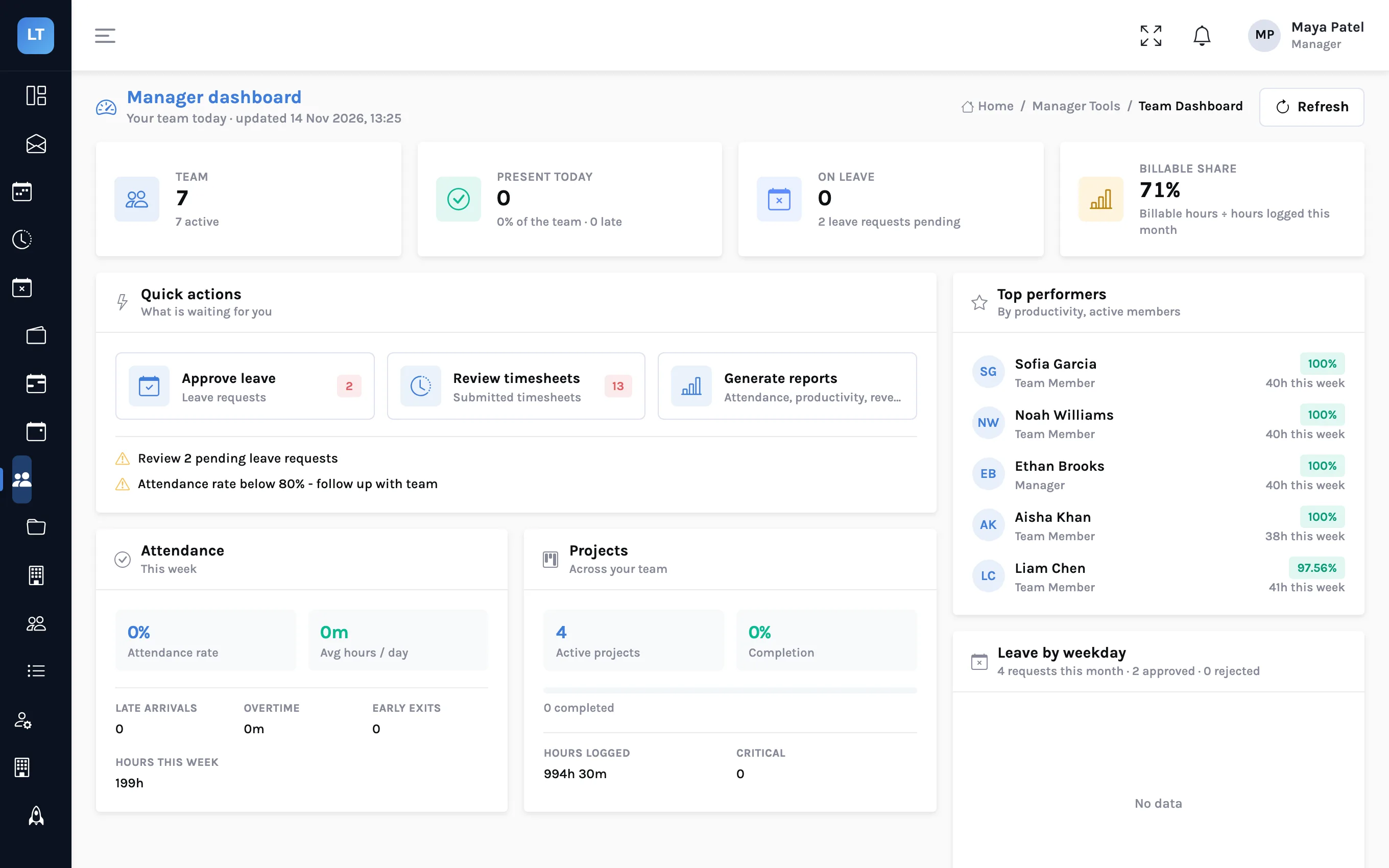
What a manager should look at on Monday morning
A twenty-minute routine in four screens: the team dashboard, the timesheet approval queue, leave requests, and last week's stand-up summary. What each one tells you and what to do about it.
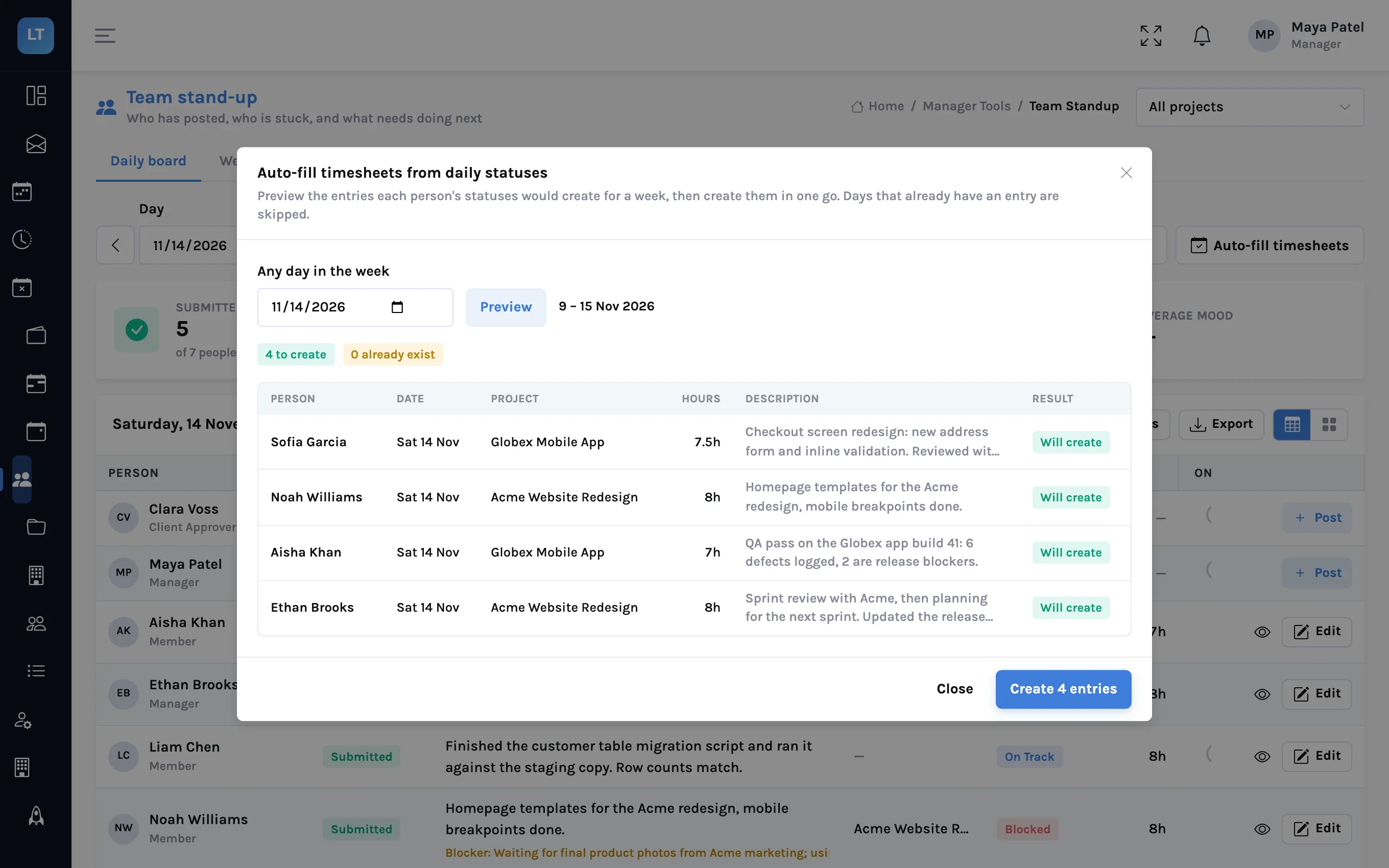
From stand-up notes to a finished timesheet
People already say what they worked on and for how long in their daily status. Auto-fill turns a week of those statuses into timesheet entries, after a preview, without overwriting anything.
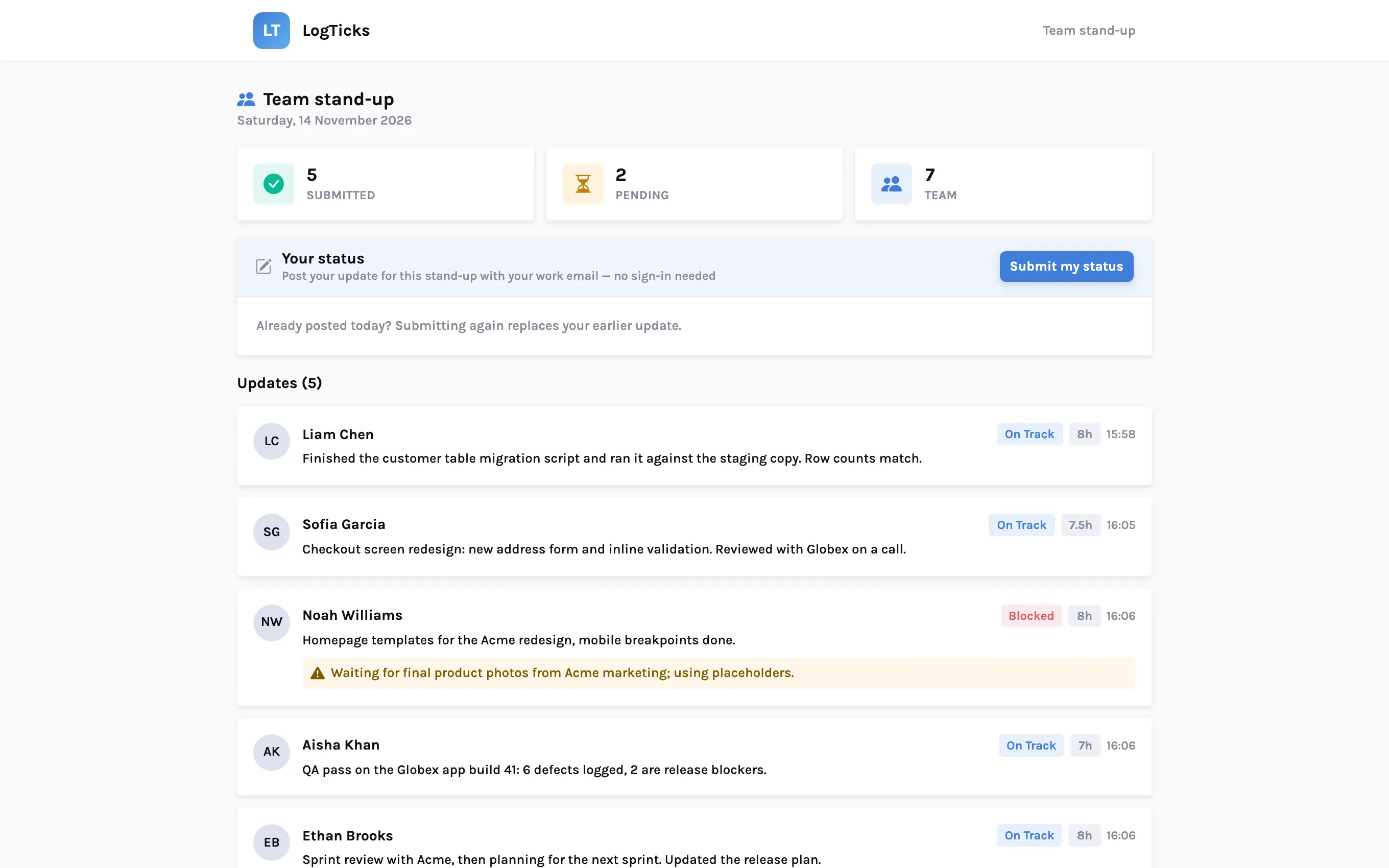
Collecting stand-ups from contractors who never sign in
A shared stand-up link lets a contractor post today's status with only their work email, and lets a stakeholder read the day's updates without an account. How to create one, and what to be careful about.
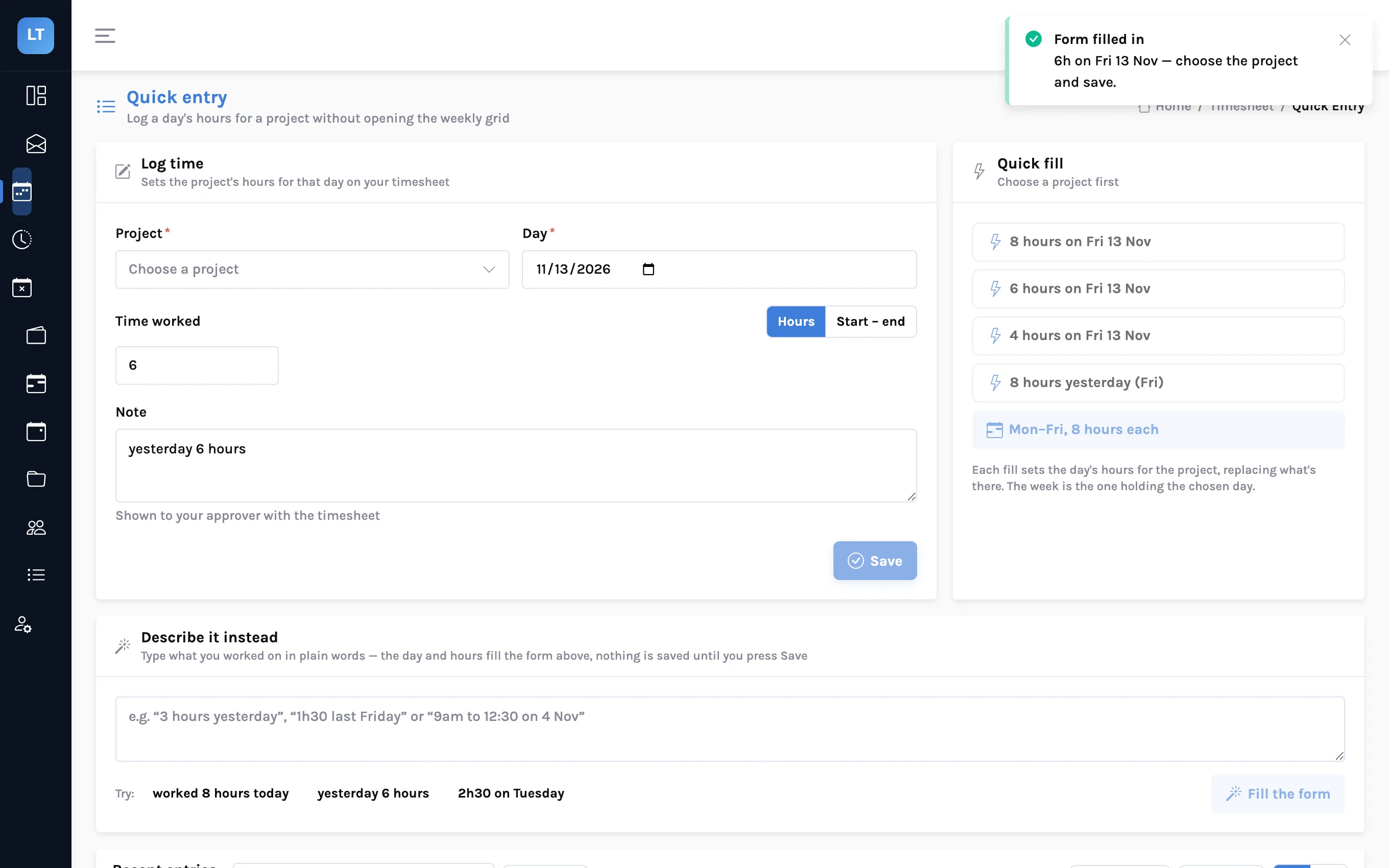
Type what you did, get time entries
Three ways to log time in words or pictures instead of cells: the "Describe it" box on Quick entry, the /hours command in Google Chat, and /upload for an image or PDF of a timesheet. What each one understands, and what it does not.
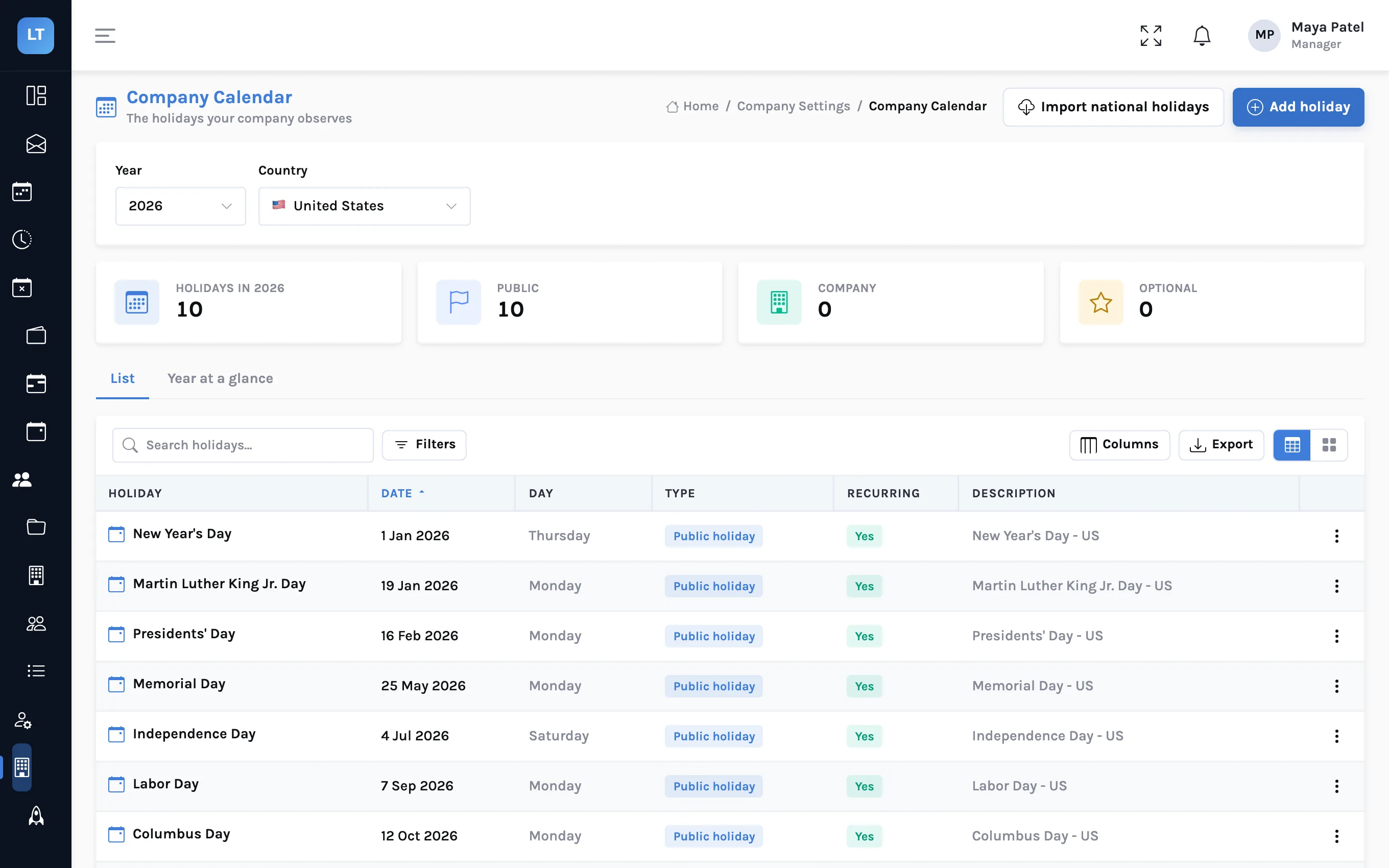
One holiday calendar per country for a distributed team
Import public holidays for each country your people work in, add your own company days, and let each person's country decide which apply to them. With the review you should do every January.
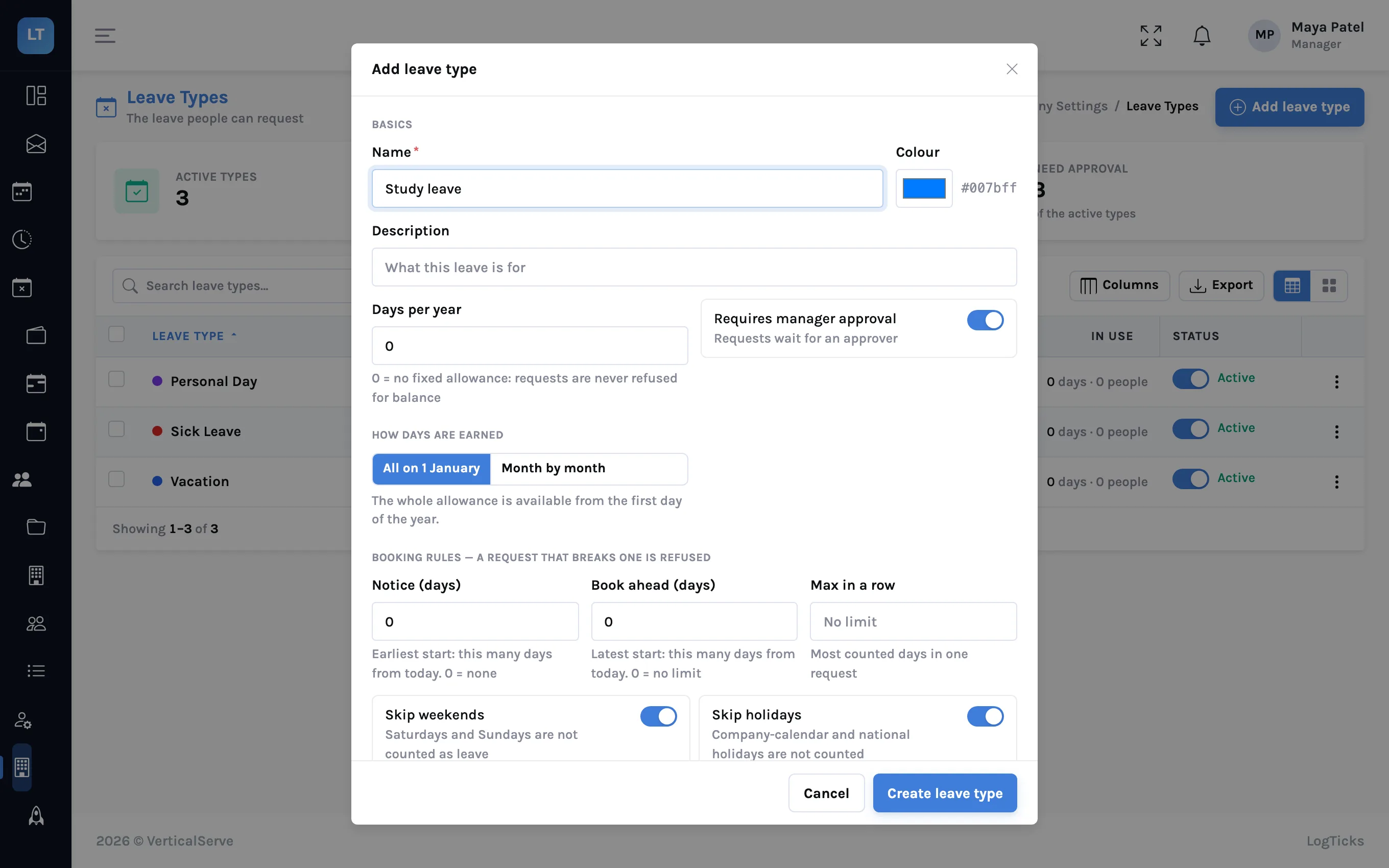
Designing leave types that match your policy
Turn a leave policy into leave types: allowance, notice, longest stretch, half days, negative balance, and whether weekends and holidays count. What LogTicks checks when someone requests leave, and the few things it leaves to you.
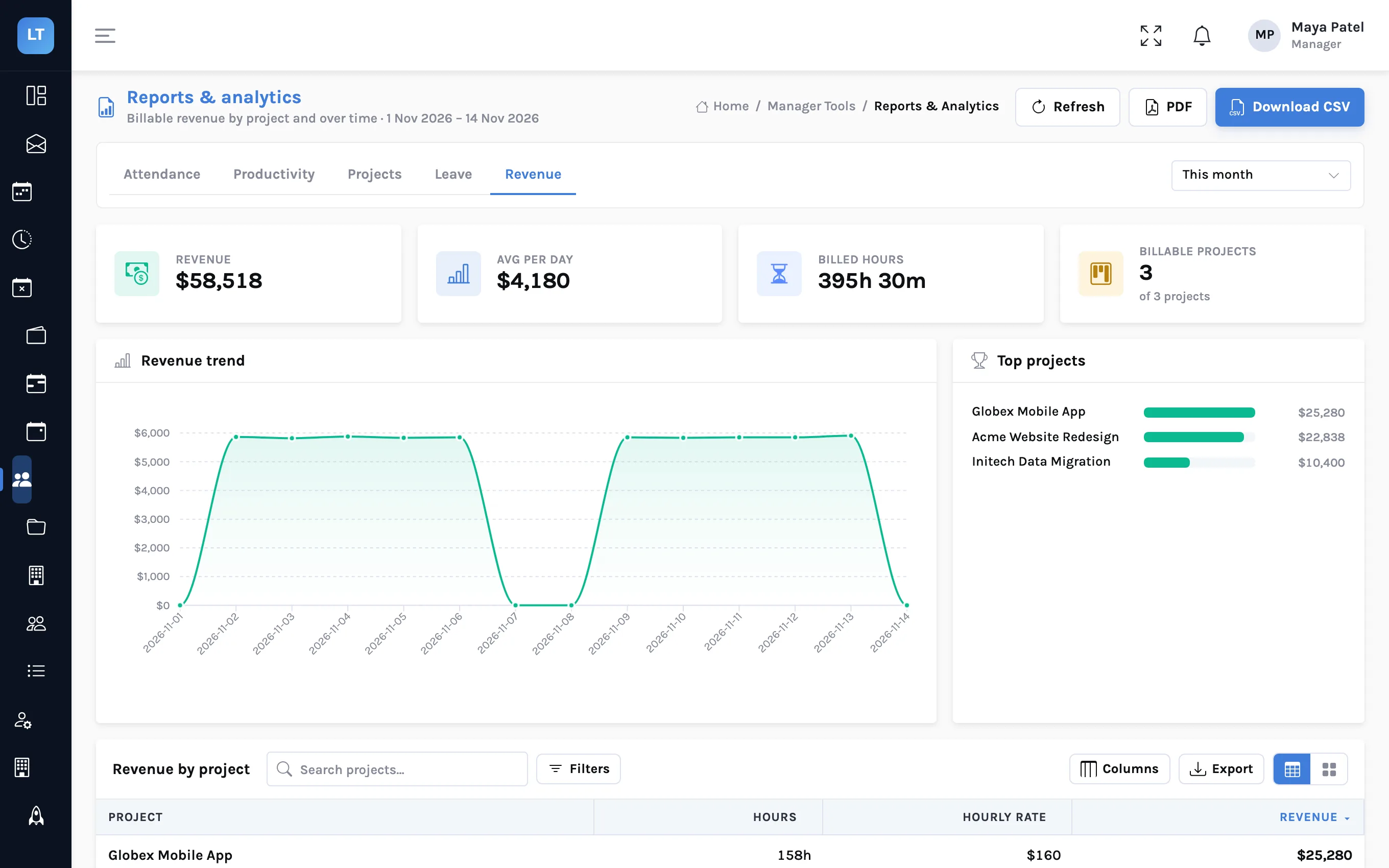
Billable vs non-billable: reading the revenue report
Where rates and budgets are set, what the Revenue tab shows and how its figures are calculated, and why the number on the report is not the number you invoice.
Run next week's timesheets in LogTicks
The Free plan covers up to 5 users. Create a company, add a project, and log the first week.