Ask three people in a company how much leave someone has left and you can get three answers. HR has the entitlement. The manager remembers what was approved. The employee remembers the two days carried over from last year, which nobody else wrote down. Each number is right about something and none of them is the balance.
A balance is arithmetic: what was granted or earned, plus what was carried in, plus or minus any adjustment, minus what has been taken and what is pending. LogTicks keeps each of those parts separately, per person and leave type, and shows them in one table. This article covers the three parts that move over time: accrual, carry-over and the year-end close.
Two ways to earn days
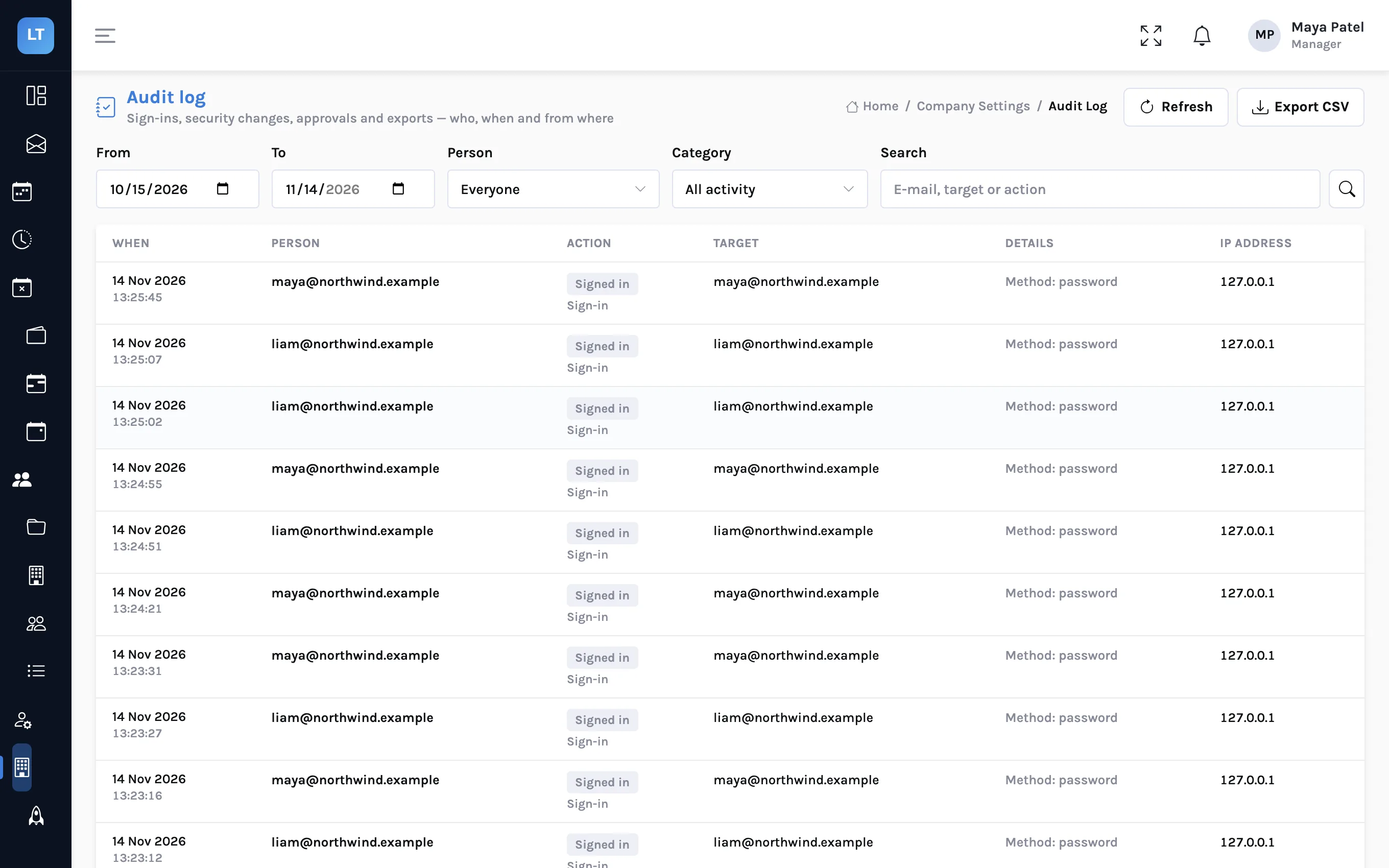
On a leave type, under How days are earned, there are two choices.
| Choice | What it means | Suits |
|---|---|---|
| All on 1 January | The whole allowance is available from the first day of the year | Small teams, statutory minimums, sick leave |
| Month by month | People earn days for every completed month, up to a yearly cap if you set one | Vacation in firms that do not want a year's leave taken in January |
How monthly accrual is checked
With Month by month you set Days earned per month. The useful detail is what a request is compared with: it is checked against what will have been earned by its first day, not against what has been earned today.
So someone can book August leave in March. By August they will have earned enough, and the request is allowed. What they cannot do is take in March the days they will only earn by August, unless the leave type allows a negative balance.
| Earning 1.5 days a month | Completed months | Earned | A 5-day request starting then |
|---|---|---|---|
| 1 March | 2 | 3 | Refused, unless negative balance is allowed |
| 1 May | 4 | 6 | Allowed |
| 1 August | 7 | 10.5 | Allowed |
The balances table
Managers open Company Settings, Leave Balances. There is one row per person and leave type, for the year chosen at the top.
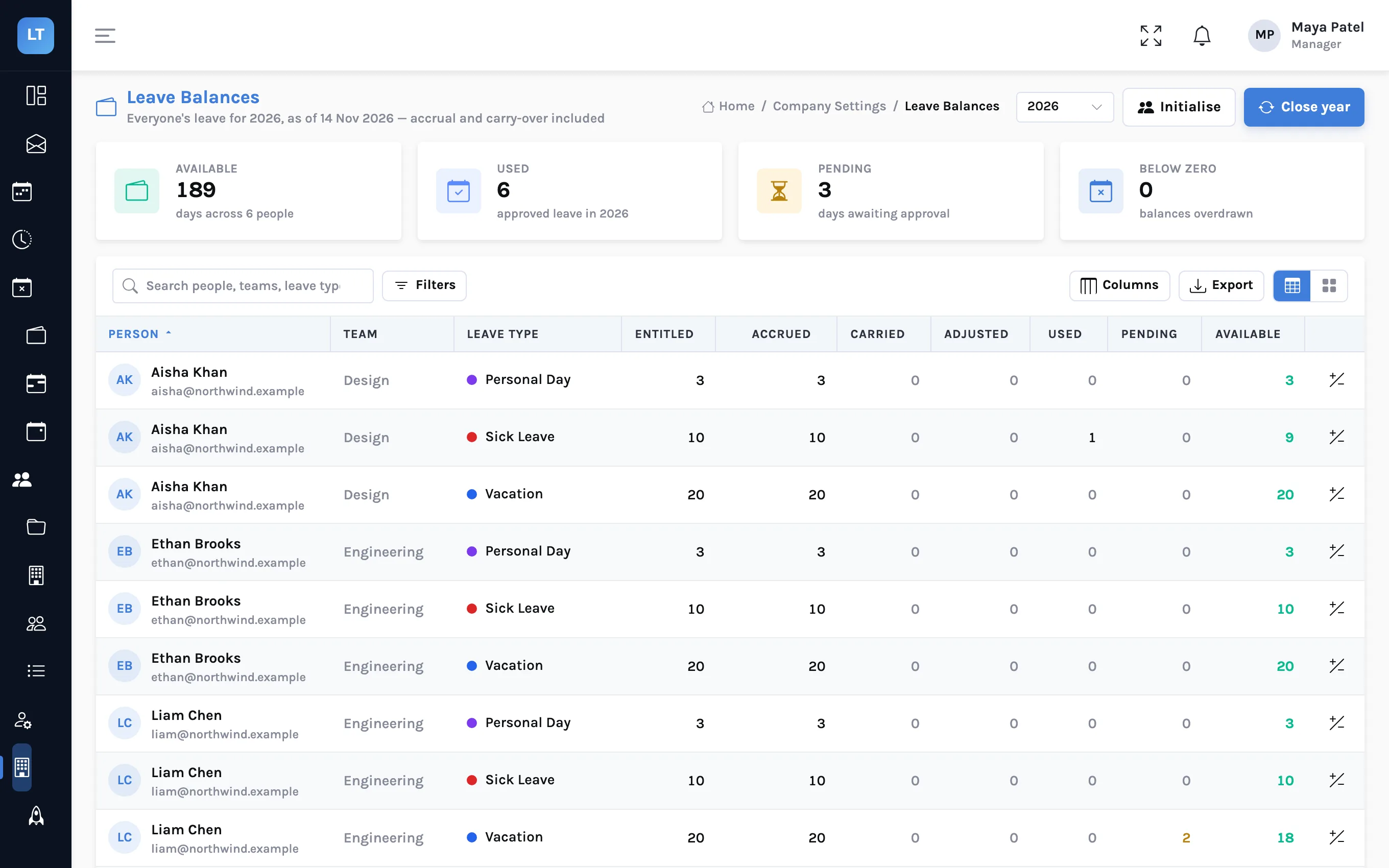
| Column | Meaning |
|---|---|
| Entitled | The leave type's allowance for the year |
| Accrued | What has been earned to date. Equal to Entitled for a type granted on 1 January |
| Carried | Days brought in from last year when it was closed |
| Adjusted | Manual additions or deductions |
| Used | Approved leave already counted |
| Pending | Requested, not yet decided |
| Available | What the person can still request |
The tile Below zero counts overdrawn balances, which should be none unless a leave type allows it.
Adjusting a balance
- Press the adjust button at the end of a row.
- Choose Add days or Take away, and enter the number.
- Give a Reason. It is required.
- Press Save adjustment.
The reason is kept in the balance's history with your name and the date, under the adjustment form. Use this for a new joiner's part-year allowance, for days bought or sold, or to correct a mistake. Do not use it to hide one.
Initialise
Initialise opens a balance for the year for every active leave type where one is missing, and brings the entitlement in line with the leave type's current days per year. Used and pending days, carry-over and adjustments are kept. You rarely need it: a new year's balance opens by itself the first time it is used.
Carry-over
Whether unused days survive the year is a setting on the leave type: Carry unused days over, with a limit in days. Without it, and with Resets every year, unused days are lost. Nothing moves until someone closes the year.
Closing the year
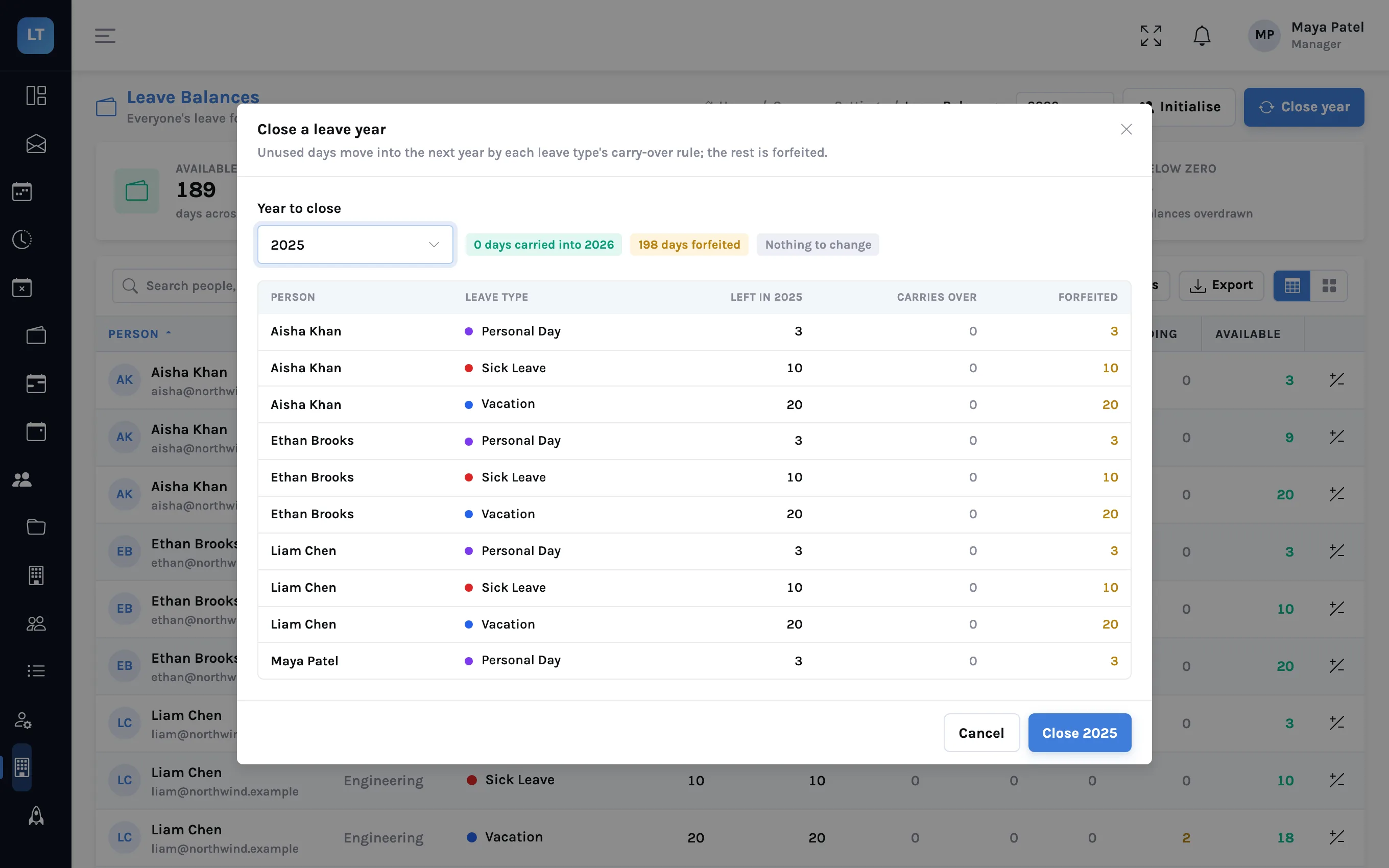
- On Leave Balances, press Close year.
- Choose the Year to close.
- Read the preview. For each person and leave type it lists what was left, how much carries over and how much is forfeited, with totals at the top.
- Press Close for that year.
Two properties make this safe to do carefully and more than once:
- The preview is the same calculation as the close. What you read is what will happen.
- It can be run again. Closing a year a second time is safe: nothing is carried twice. If a late December request is approved in January, open the preview again and see what it now says.
Carried days appear in the Carried column of the new year, separate from the new year's entitlement, so nobody has to remember that two of someone's days are last year's.
A year-end checklist
- All of last year's leave requests are approved or rejected
- Carry-over and its limit are set on each leave type that should have it
- Read the Close year preview before closing
- Look at the preview again after any late approval
- Next year's holidays are in the company calendar, since they change how requests are counted
What it doesn't do (yet)
- No pro-rating by hire date. A mid-year joiner gets the leave type's grant, or accrues from the months of the year, not from their start date. Use an adjustment.
- Days only. Balances are in days and half days, not hours.
- Weekends are Saturday and Sunday.
- The close is run by a person. Managers press Close year; it does not happen by itself on 1 January. The new year's balances do open by themselves.
- No payout calculation. LogTicks tracks days. It does not value unused leave in money.
Keep the parts of a balance apart, and nobody has to remember where a number came from.
Look at your balances
Open Leave Balances, read one row left to right, and try the Close year preview.
Start free