Who LogTicks is for
Three kinds of team get the most from it. Each section says what they need, how the product does it, and where it stops.
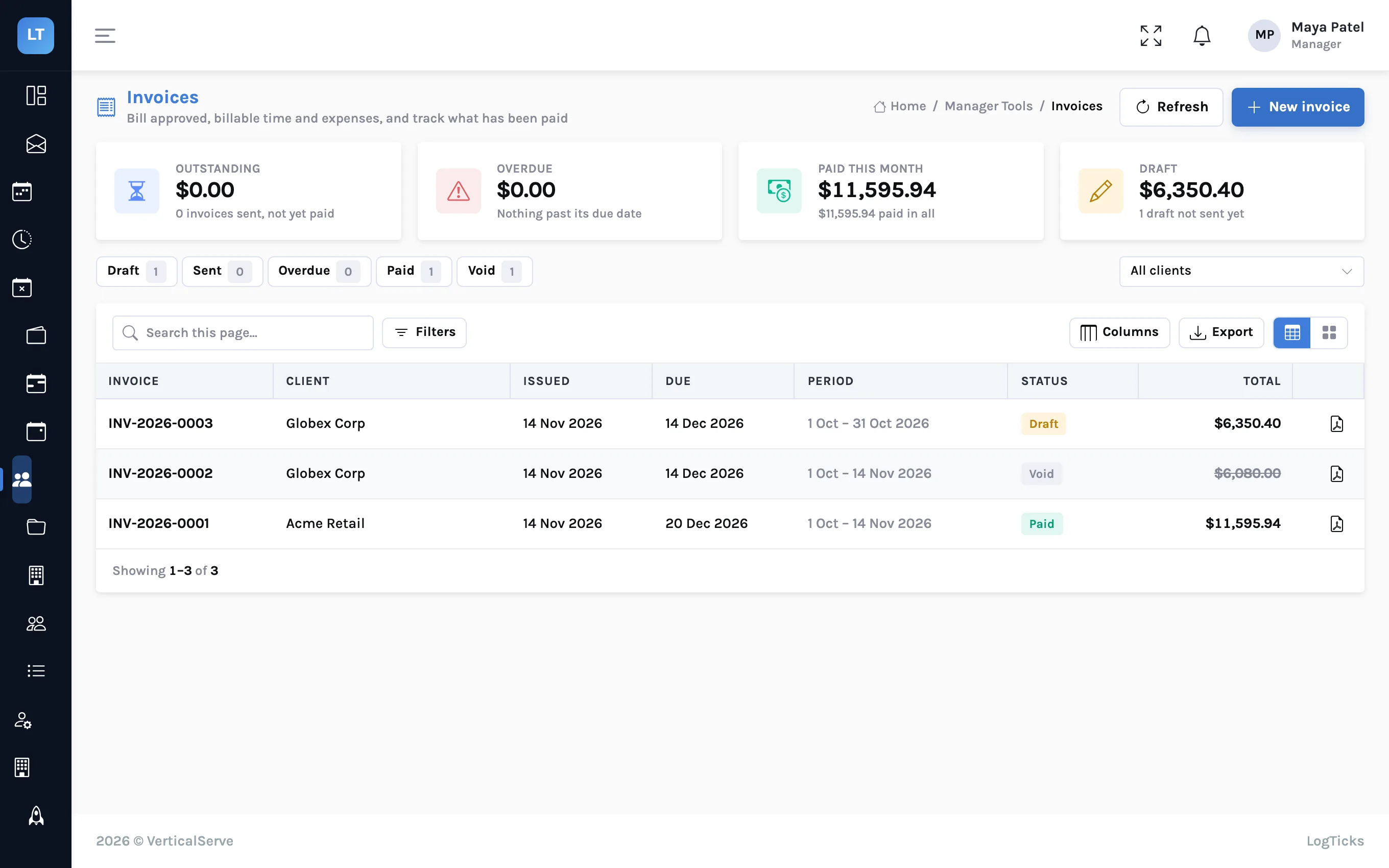
Bill the hours you can defend
Several clients, several projects per person, and an invoice that someone will question. The week needs a rate, a budget and an approval behind it.
| What you need | How LogTicks does it |
|---|---|
| Time split across clients | A weekly grid with one row per project; each project belongs to a client and is billable or internal. |
| Rates and budgets | An hourly rate, a budget and an estimate per project, with a different rate for a person where needed. The project page shows budget used. |
| Approval before billing | The project's manager approves each week, or asks for changes with a reason. |
| The client's agreement | Name a client approver on the project and the week goes to them after your manager. |
| The invoice | New invoice for a client and a period drafts one line per project and person from approved, billable time, at each person's rate. Download it as PDF or CSV, mark it sent, then paid. |
| Expenses the client pays | Staff record expenses with receipts; once approved, billable ones on the client's projects appear on that client's invoice as their own group. |
| Guard rails on time | Project rules refuse a 20-hour day, an entry from three weeks ago or one with no description at the moment it is saved. |
| Your own systems | Personal API keys for scripts, and signed webhooks when timesheets, leave and invoices change. |
| What it does not do | Invoices are not emailed for you, cannot be paid online, and do not sync to QuickBooks or Xero. One currency label (USD), no partial payments or credit notes. |
Client sign-off guide · From approved timesheets to an invoice · Expenses from receipt to invoice · Project rules
Contractors on client sites, hours signed by the client
Your people work inside someone else's organisation. The client's manager confirms the hours, often on the client's own form, and you need both records to agree.
| What you need | How LogTicks does it |
|---|---|
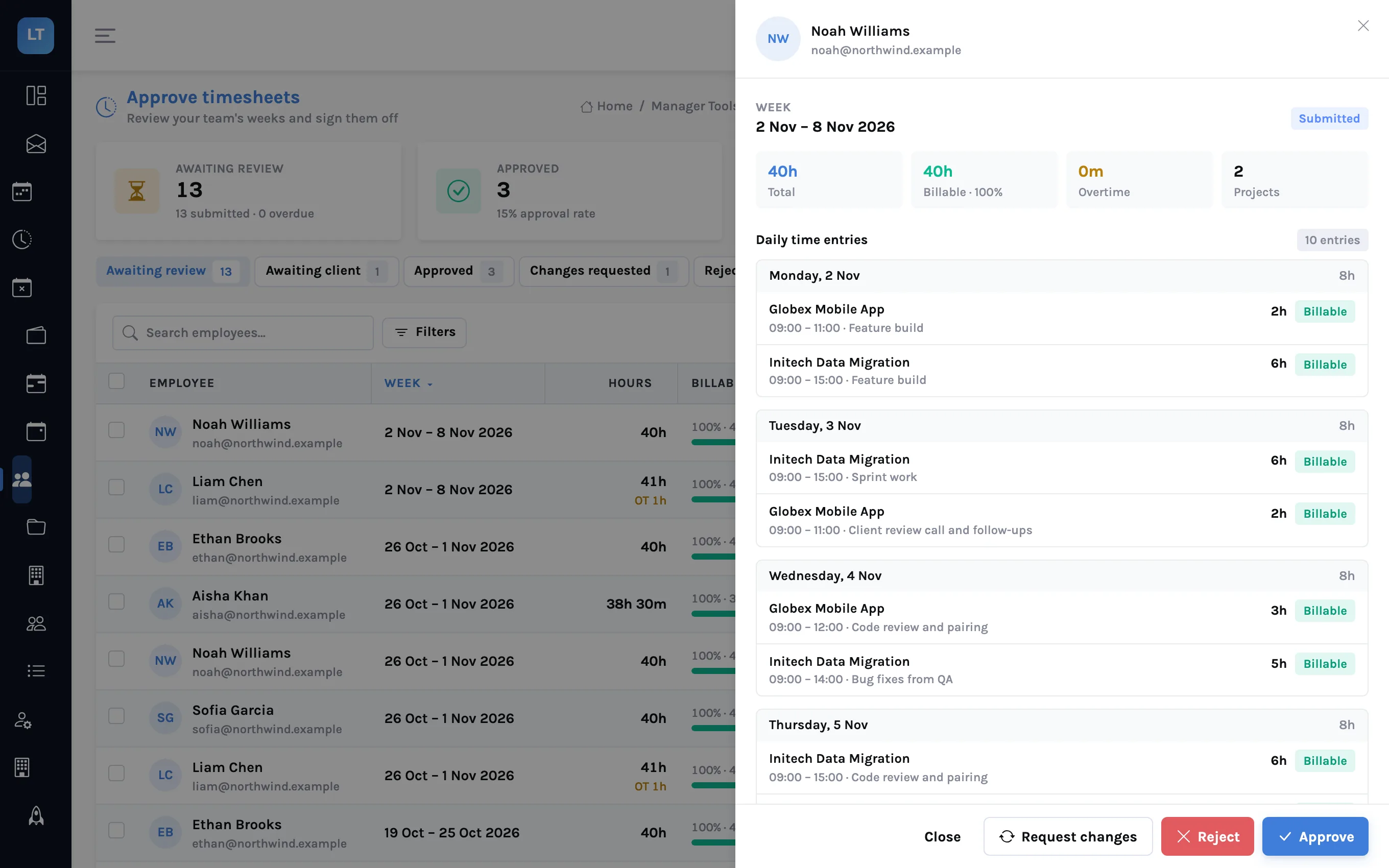
| The client confirms the hours | A client approver account for each client contact: they see a queue of manager-approved weeks and approve or send back. |
| The client's own signed sheet | The contractor attaches the PDF or photo to the week as a "Client timesheet" document; your approver sees it in the review sheet. |
| Contractors who rarely sign in | A shared stand-up link lets them post a daily status with only their work email. They still need an account to exist in your company. |
| Leave and client holidays | Leave requests counted in working days against a balance that can accrue monthly, and a holiday calendar for the country each person works in. |
| Billing the client | An invoice per client and period, built only from weeks that are fully approved, so nothing unconfirmed is billed. |
| On a phone | The console installs to a phone's home screen from the browser, and Quick entry queues time entered without a signal. |
| What it does not do | No payroll, no online payment of invoices, no onboarding paperwork, and no app-store app. Offline, only Quick entry works. |
Attaching the signed timesheet · Stand-ups without a login · Leave that accrues
Stand-ups without the meeting, holidays without the spreadsheet
People in several countries, no hour of the day that suits everyone, and a different public holiday somewhere most weeks.
| What you need | How LogTicks does it |
|---|---|
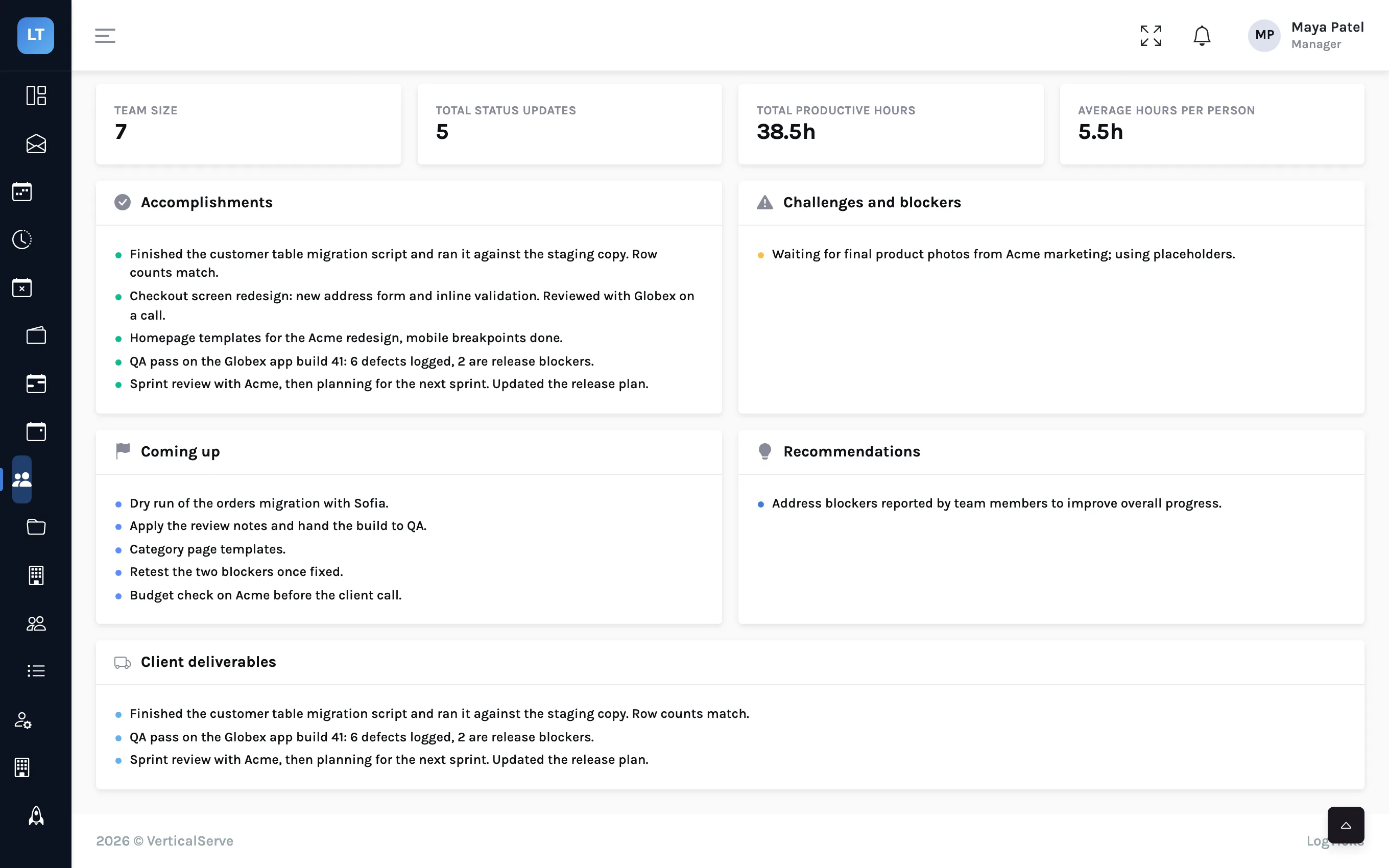
| Async stand-ups | A daily status in the app or from Google Chat with /status; the manager's board shows who posted and who is blocked. |
| A week in review | The weekly view per person and a weekly summary of accomplishments, blockers and what is coming up. |
| Holidays by country | Import public holidays for eight countries; each person's country decides which apply to them. |
| Who is away | A team calendar of approved and pending leave, by month. |
| One timer, several devices | A timer started on a laptop shows on a phone and can be stopped there, against a project and a task. |
| Access you can account for | Two-factor sign-in that a company can require, and an audit log of sign-ins, role changes and approvals. |
| What it does not do | The chat app is for Google Chat only. There are no Slack, Microsoft Teams or Zapier connectors, no sprint or ticket tracking, and no sign-in through a company identity provider. |
Stand-ups in Google Chat · A holiday calendar per country · Timing work across devices
The same week, whoever you are
Run next week's timesheets in LogTicks
The Free plan covers up to 5 users. Create a company, add a project, and log the first week.