A team in one country shares its holidays without thinking about it. Spread the same team across the United States, India and Germany and somebody is off on a day nobody else expected, most weeks of the year. The usual fix is a spreadsheet that one conscientious person maintains and nobody else opens.
LogTicks keeps holidays where the rest of the working calendar is. You import the public holidays for each country, add the days your company gives on top, and each person sees the holidays for the country on their profile. This article sets that up for a three-country team.
The pieces
| Piece | Where | Who sets it |
|---|---|---|
| Company calendar | Company Settings, Company Calendar | A manager or admin |
| Public holidays by country | Imported into the company calendar | A manager or admin, once a year |
| Company holidays | Added by hand to the company calendar | A manager or admin |
| A person's country | User Settings, Profile, Country | Each person |
| My calendar | Each person's own month view | Shown automatically |
Step 1: import public holidays for a country
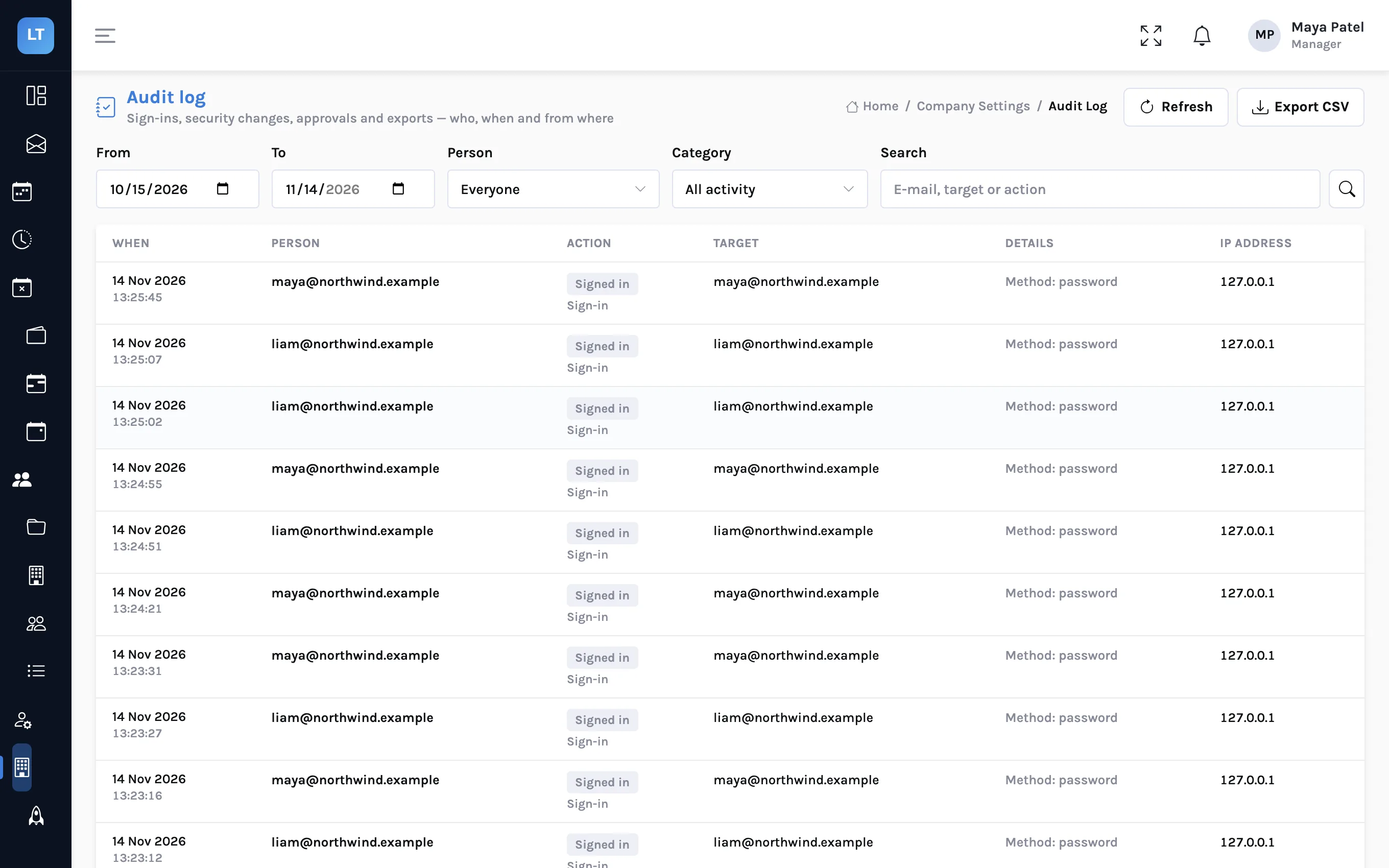
- Open Company Settings, Company Calendar.
- Choose the Year and the Country at the top.
- Press Import national holidays.
- The holidays for that country and year are added to your calendar as public holidays that recur every year.
- Change the Country and repeat for each country you have people in.
Import is available for eight countries: the United States, Canada, the United Kingdom, Germany, France, India, Japan and Australia.
Step 2: review what was imported
Treat the import as a first draft. The lists are built into LogTicks; they are not pulled from a government feed. Three things need a human eye:
- Holidays whose date moves. Easter, Diwali, Eid and others fall on a different date each year. Check those dates against an official source for the year you imported, and correct any that differ.
- Regional holidays. The lists are national. A German state holiday or an Australian state holiday that your people observe needs adding by hand.
- Days you do not observe. Delete or change any holiday your company works through.
Each holiday has a row menu to edit or delete it, and the Year at a glance tab shows the twelve months together, which makes a missing or misplaced day easy to spot.
Do this every January
Because movable dates need checking each year, put a recurring task in the diary: review next year's holidays for every country before the year starts.
Step 3: add your company's own days
- Press Add holiday.
- Enter the Holiday name and Date.
- Choose the Type: Public holiday, Company holiday or Optional holiday.
- Add a description if it helps, and switch on Recurs every year for a fixed date.
| Type | Use it for |
|---|---|
| Public holiday | A statutory holiday in a country, usually imported |
| Company holiday | A day your company closes: a founder's day, the days between Christmas and New Year |
| Optional holiday | A day people may take if they observe it |
Step 4: each person sets their country
In User Settings, Profile, there is a Country field with the note "Decides which public holidays apply to you". Ask everyone to set it once. It is what makes a holiday in India a day off for the person in Bengaluru and an ordinary Tuesday for the person in Toronto.
People can also add personal days off of their own under Calendar preferences, in its Holidays panel. Those are private to them and separate from the company calendar.
Where holidays show up
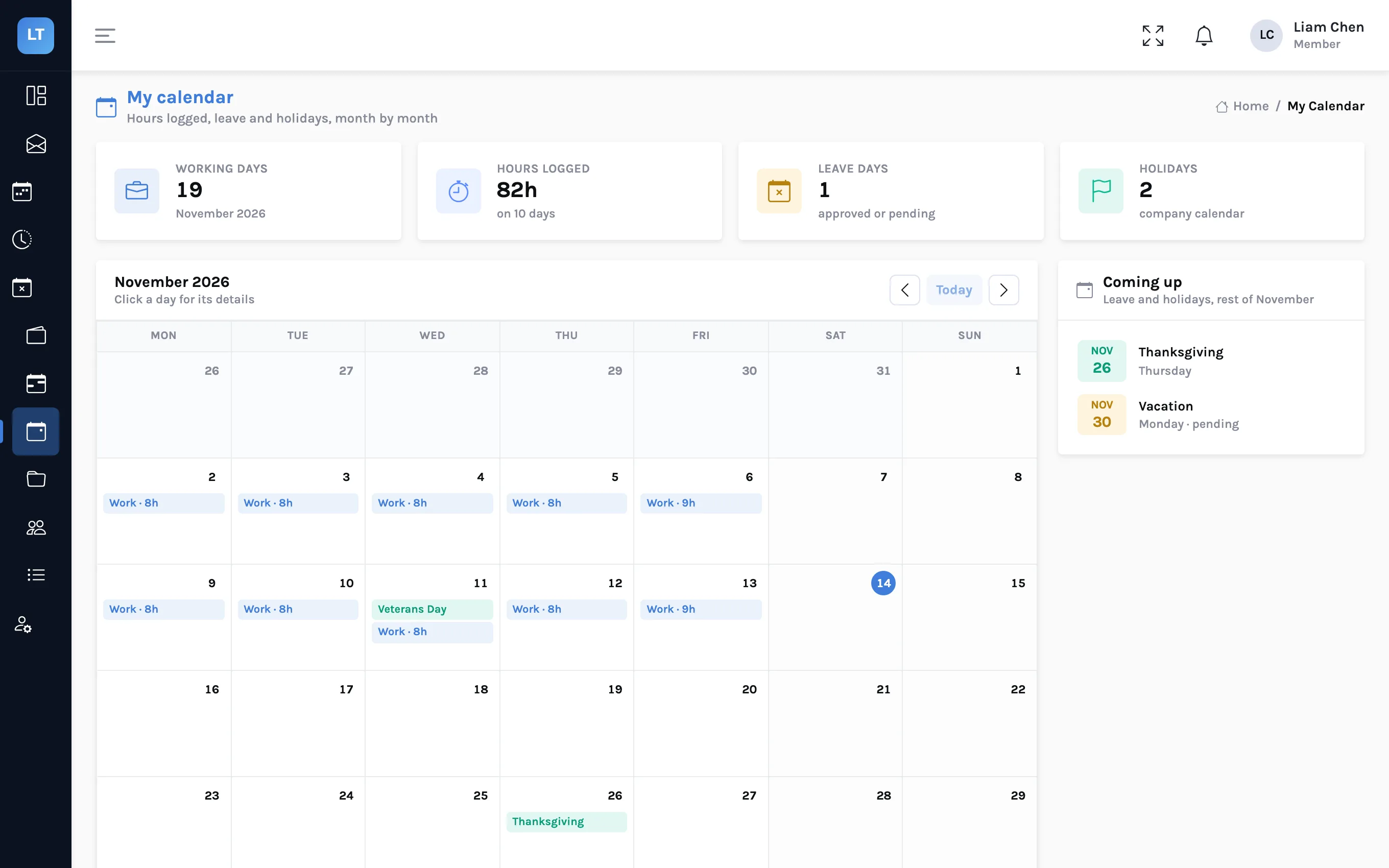
- My calendar marks each holiday on its day and counts the month's holidays in a tile.
- Clock-in is refused on a holiday, as it is on a weekend.
- Leave requests leave holidays out of the count, for leave types set to skip them. A week's leave over a public holiday uses four days, not five.
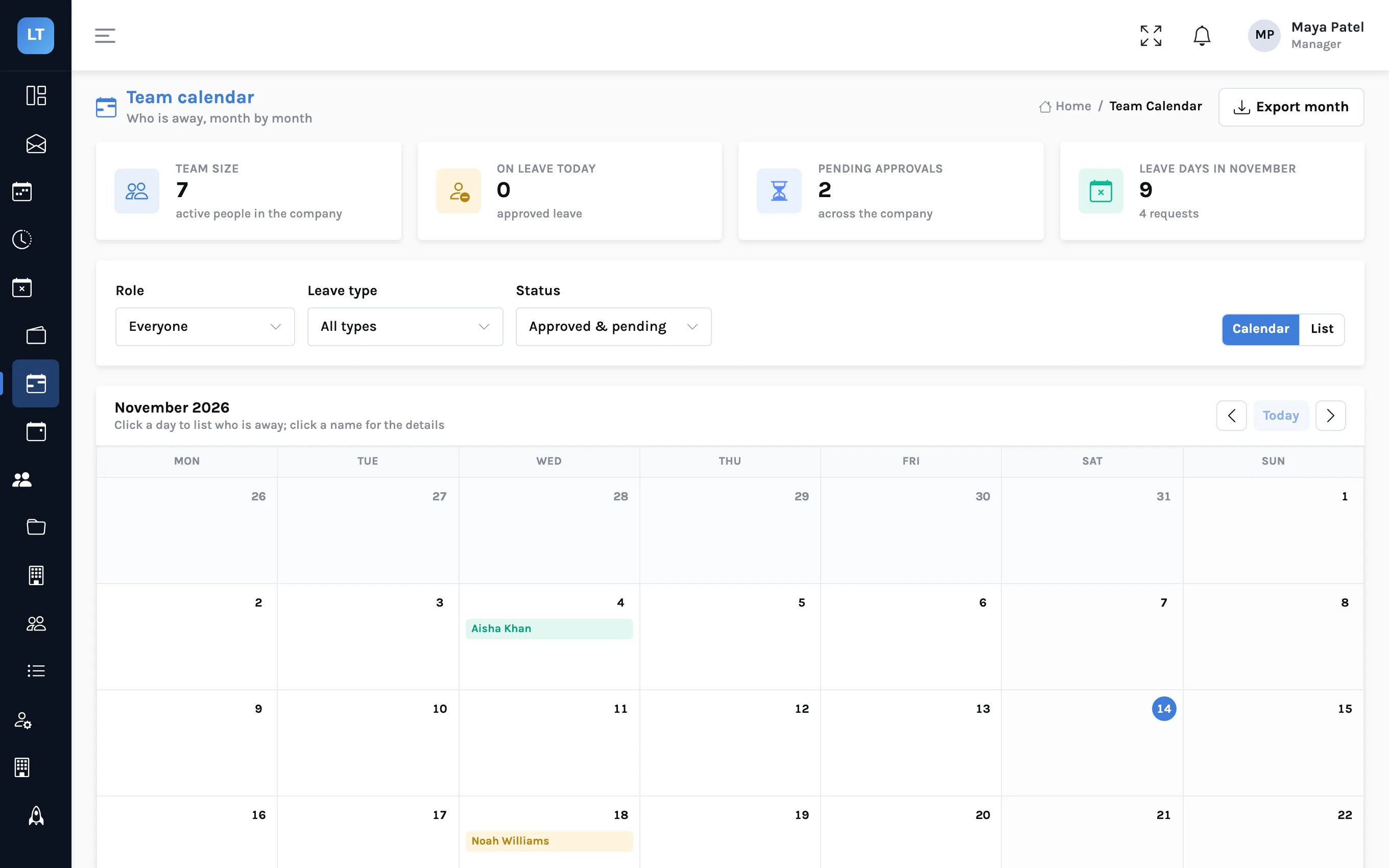
- The team calendar shows who is on leave, so a manager can read leave and holidays for a month side by side.
What it doesn't do (yet)
- Eight countries. For anywhere else, add the holidays by hand with Add holiday.
- National lists only, and some are short. Regional holidays are yours to add.
- Movable dates need checking. The built-in dates for holidays that move are reliable only for the years they were prepared for. Verify them every year.
- The weekly timesheet grid does not mark holidays. People see them on My calendar, not as a shaded column where they type hours.
- No calendar feed. The list has an Export button, but there is no subscription link for Google Calendar or Outlook.
A yearly checklist
- Import next year for every country you have people in
- Check every movable holiday against an official source
- Add regional holidays for the places people actually live
- Add the company's own closure days
- Ask new joiners to set the Country on their profile
Import the holidays once, check the ones that move, and let each person's country do the rest.
Set up your holiday calendar
Import one country, add a company day, and open My calendar to see it.
Start free