A leave policy is a page of sentences. "Twenty days of vacation a year. Two weeks' notice. No more than ten days in a row. Sick leave needs no notice. A half day is allowed." Software needs those sentences as settings, and the translation is where leave systems go wrong: the tool either cannot express the rule, or stores it and does not apply it, and people find out when a balance is off in December.
In LogTicks the settings on a leave type are applied to every request for that type. This article goes through the leave type form field by field, says what each one does when someone asks for leave, and ends with the short list of things that remain a person's job.
Where leave types live
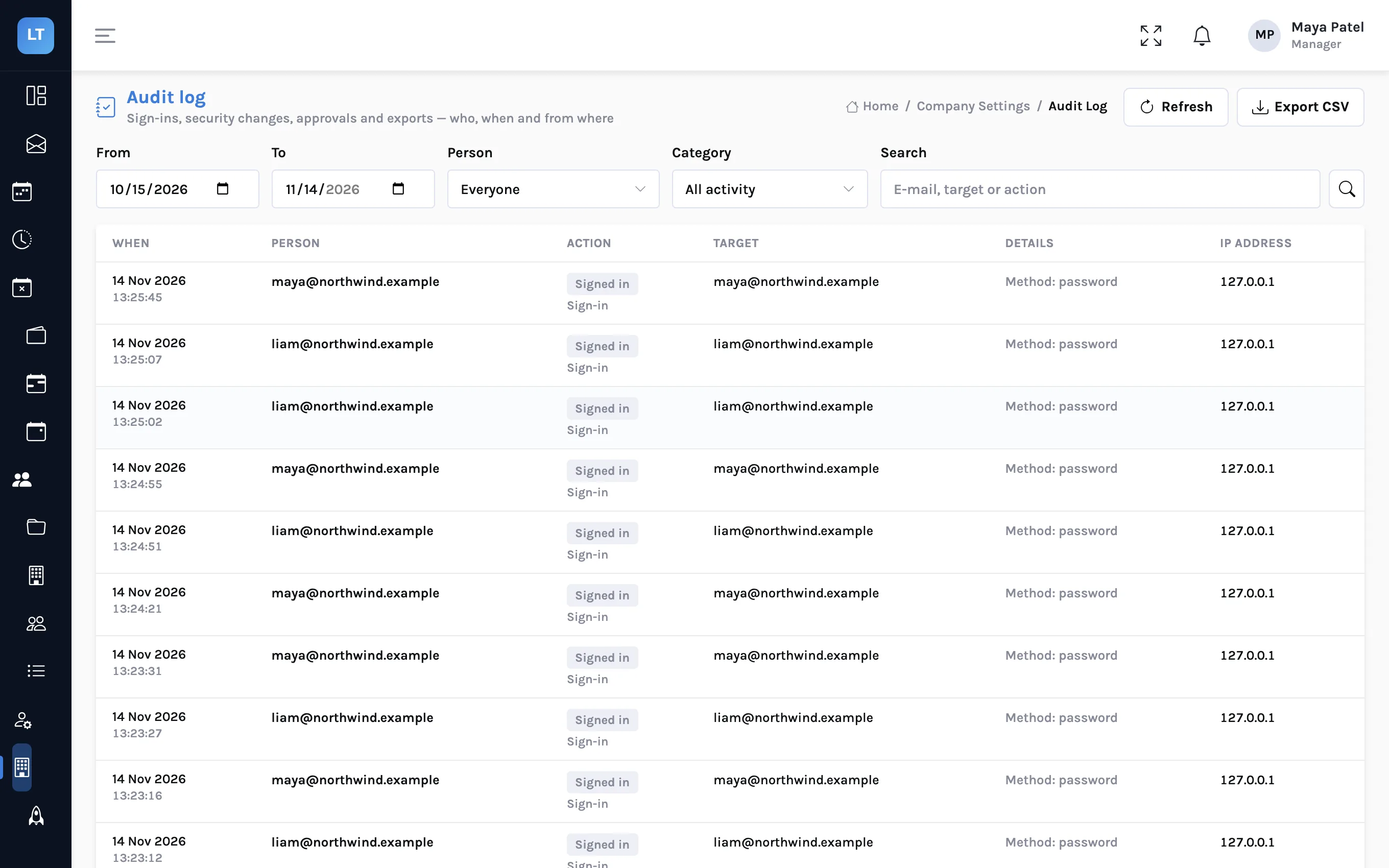
Managers and admins find them under Company Settings, Leave Types. A new company starts with a few; you can edit those, switch them off, or add your own with Add leave type.
The form, section by section
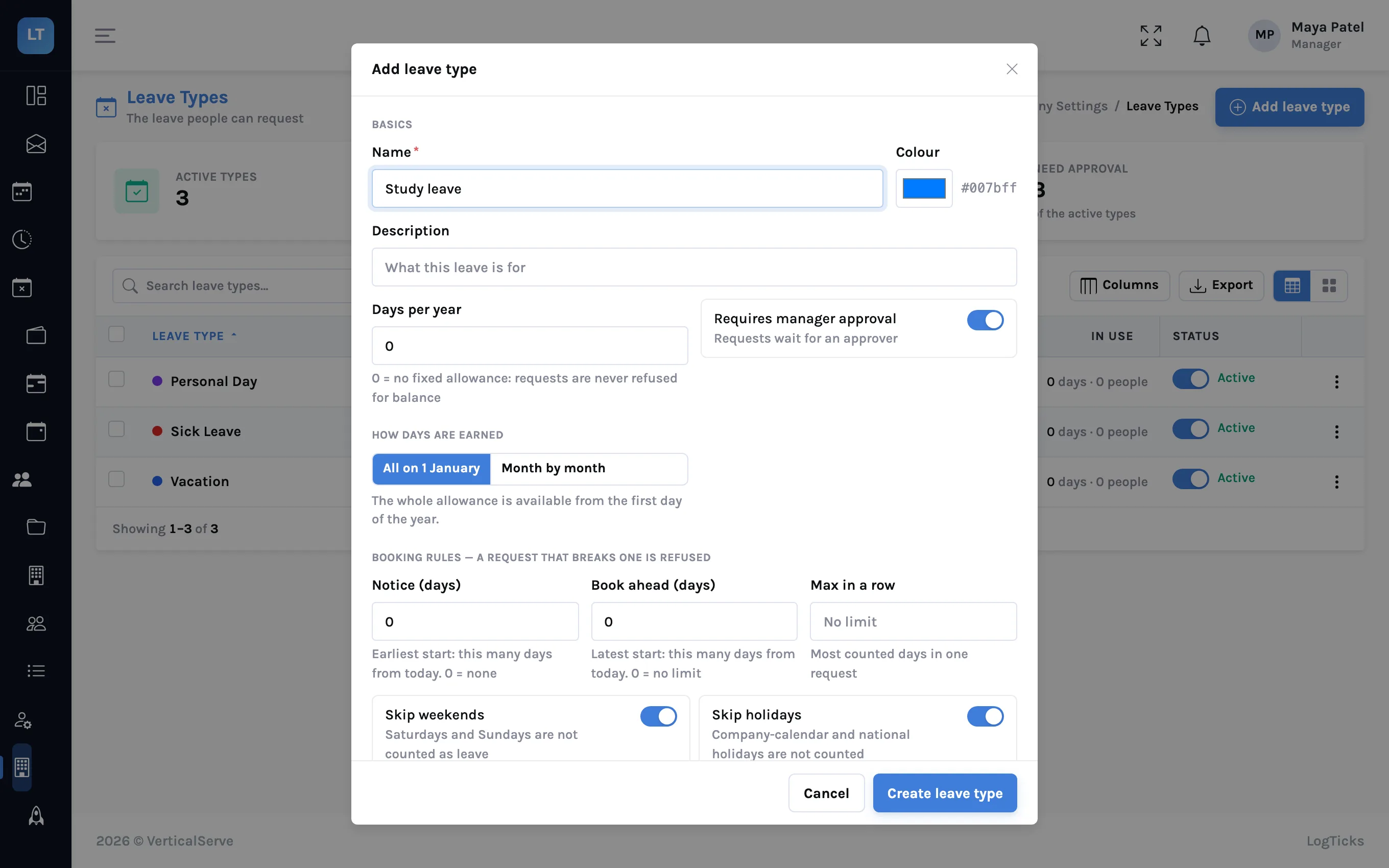
Basics
| Field | What it does |
|---|---|
| Name, Colour, Description | How the type appears in requests and on calendars |
| Days per year | The yearly allowance. 0 means no fixed allowance |
| Requires manager approval | On: a request waits for the approver. Off: it is approved the moment it is submitted |
Booking rules
| Field | What happens to a request that breaks it |
|---|---|
| Notice (days) | Refused if it starts sooner than the notice period |
| Book ahead (days) | Refused if it reaches further into the future than this |
| Max in a row | Refused if it is longer than the longest stretch |
| Allow half days | Off: the half-day option is not available for this type |
| Reason required | Refused without a reason |
| Skip weekends | On: Saturdays and Sundays inside the dates are not counted |
| Skip holidays | On: company and national holidays inside the dates are not counted |
| Documents expected | A reminder to the person, for example to send a medical certificate. Uploads are not checked and the request is not held |
Balance
| Field | What it does |
|---|---|
| Allow negative balance | Off: a request for more than is available is refused. On: it is allowed, and the balance goes below zero |
| How days are earned: All on 1 January, or Month by month | Whether the whole allowance is available from the first day of the year, or builds up with each completed month |
| Resets every year | Unused days are lost at year end, unless carried over |
| Carry unused days over, Carry-over limit (days) | How many unused days move into next year when the year is closed |
Accrual and carry-over have their own article: Leave that accrues: monthly accrual, carry-over and closing the year.
Visibility and notes
Show on calendars and Active control where the type appears; a Policy document link and Internal notes keep the written policy one click from the setting.
What the person sees when they ask
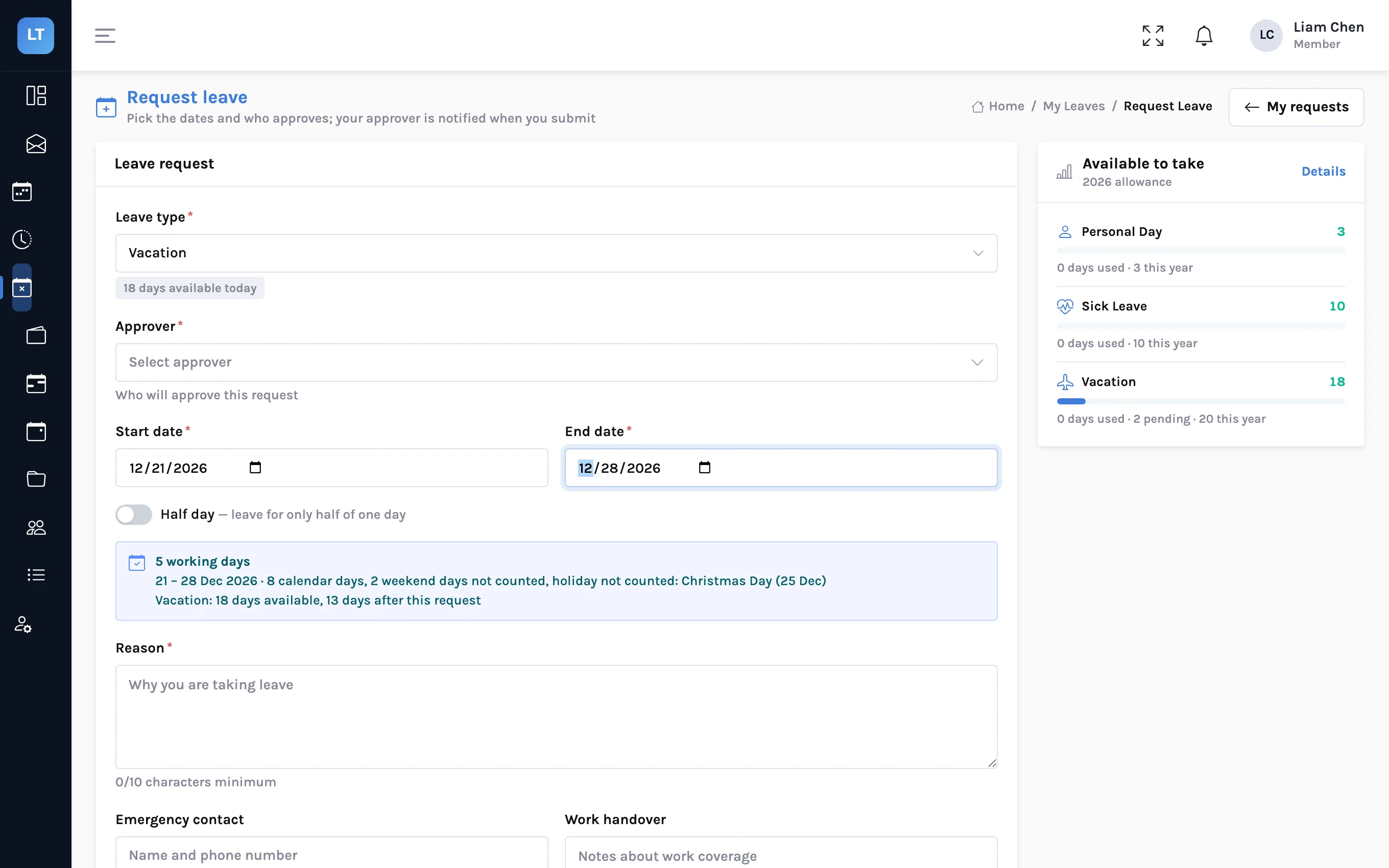
The rules are not a surprise at the end. The request form works them out as the dates are chosen.
- Request leave, then choose the Leave type. The form shows how many days of that type are available today.
- Choose the Approver: a manager or admin in the company.
- Set the start and end dates, or switch on Half day and choose morning or afternoon.
- Read the count. The form states the number of working days, how many calendar days that spans, which weekend days and holidays were left out, and what will be available afterwards.
- Give a Reason, and optionally an emergency contact and a work handover note.
- Submit request.
| Situation | Result |
|---|---|
| Monday to Friday, skip weekends on | 5 days |
| Friday to Monday, skip weekends on | 2 days |
| A week containing a company holiday, skip holidays on | 4 days |
| A half day | 0.5 days |
| Dates that overlap another of the person's requests | Refused |
| More days than available, negative balance off | Refused |
| A type that needs no approval | Approved on submit |
A pending request can be edited or withdrawn. The approver works from Approve leave, where requests can be approved or rejected one at a time or all at once, filtered by department and date, and exported.
Where balances come from
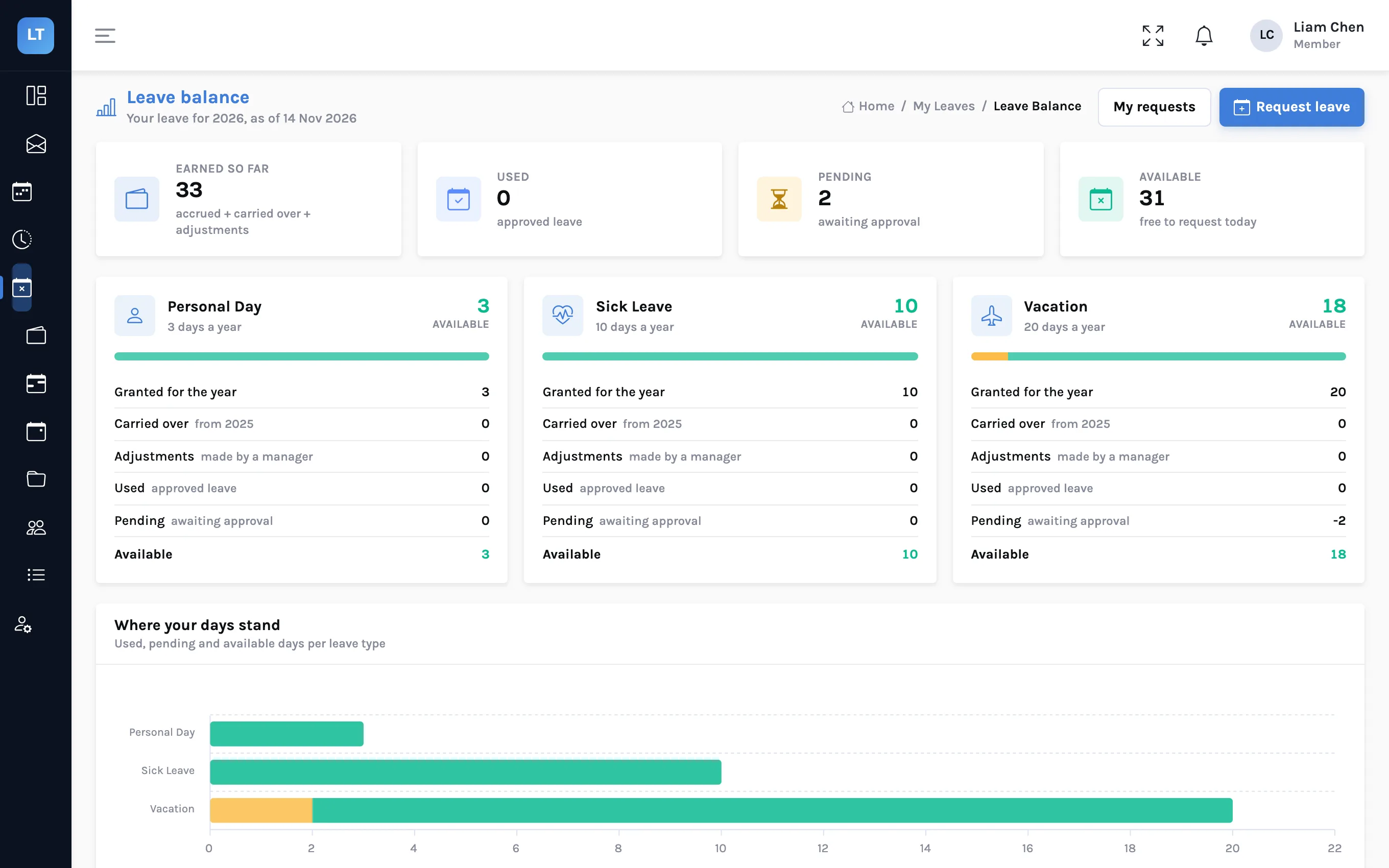
Each person has a balance per leave type per year. Managers see all of them under Company Settings, Leave Balances: entitled, accrued to date, carried over, adjustments, used, pending and available. A balance can be adjusted there with a reason, which is kept in a history. Each person sees their own on Leave balance.
Before you announce it
- Every sentence of the policy maps to a setting
- The company calendar has next year's holidays, since they change the count
- Each person's country is set on their profile
- You have decided how people who join mid-year are handled
- The written policy is linked from each leave type
What it doesn't do (yet)
- No pro-rating by hire date. Someone who joins in October gets what the leave type gives, not a share of it. Adjust their balance by hand, with a reason.
- Days only. Leave is counted in days and half days, not hours.
- Weekends are Saturday and Sunday. A different working week cannot be set.
- "Documents expected" is a reminder. The request is not held until a document arrives.
- The approver is chosen by the person. There is no fixed approval chain per leave type.
A rule the software applies is a rule nobody has to remember. Write down the few it does not.
Set up your leave types
Create one leave type, request a week against it as a member, and read the working-day count.
Start free