Timesheets your manager and your client sign off
LogTicks takes a week of work from the first time entry to the client's approval, with the signed sheet attached. Stand-ups, attendance, leave and holidays live in the same place and share the same projects and people.
Free for up to 5 users. Pro is $5 per user per month.
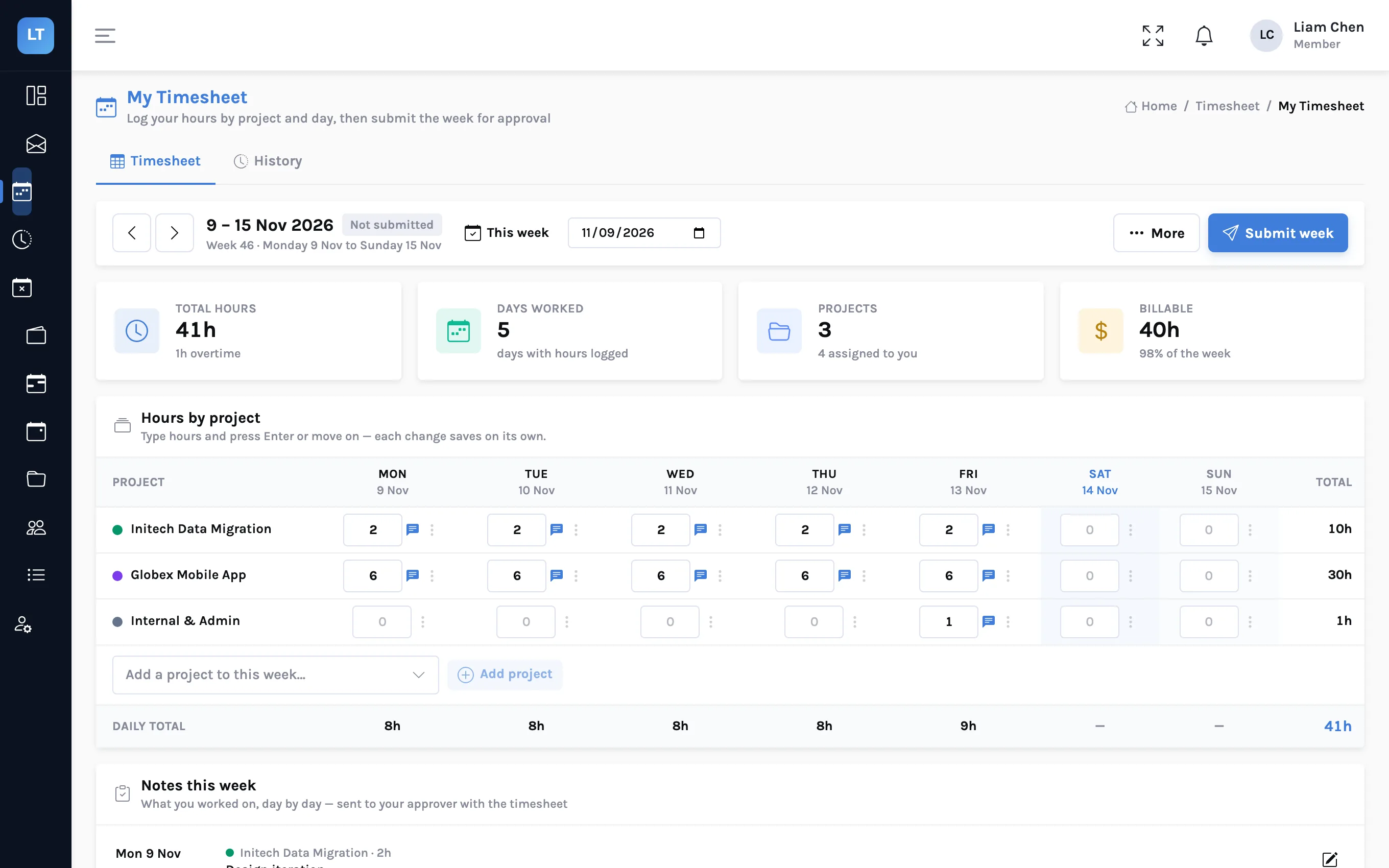
One record of the week, from entry to sign-off
Most time trackers stop when the employee presses save. For a firm that bills by the hour, that is where the work starts.
Time and timesheets
A weekly grid, a timer and a quick-entry form. Submit the week when it is right.
Approval and client sign-off
Your manager approves, then the client's approver signs off in their own queue.
Stand-ups
Daily statuses in the app, in Google Chat, or through a link that needs no login.
Leave and holidays
Leave types, requests, balances and approvals, with country and company holidays.
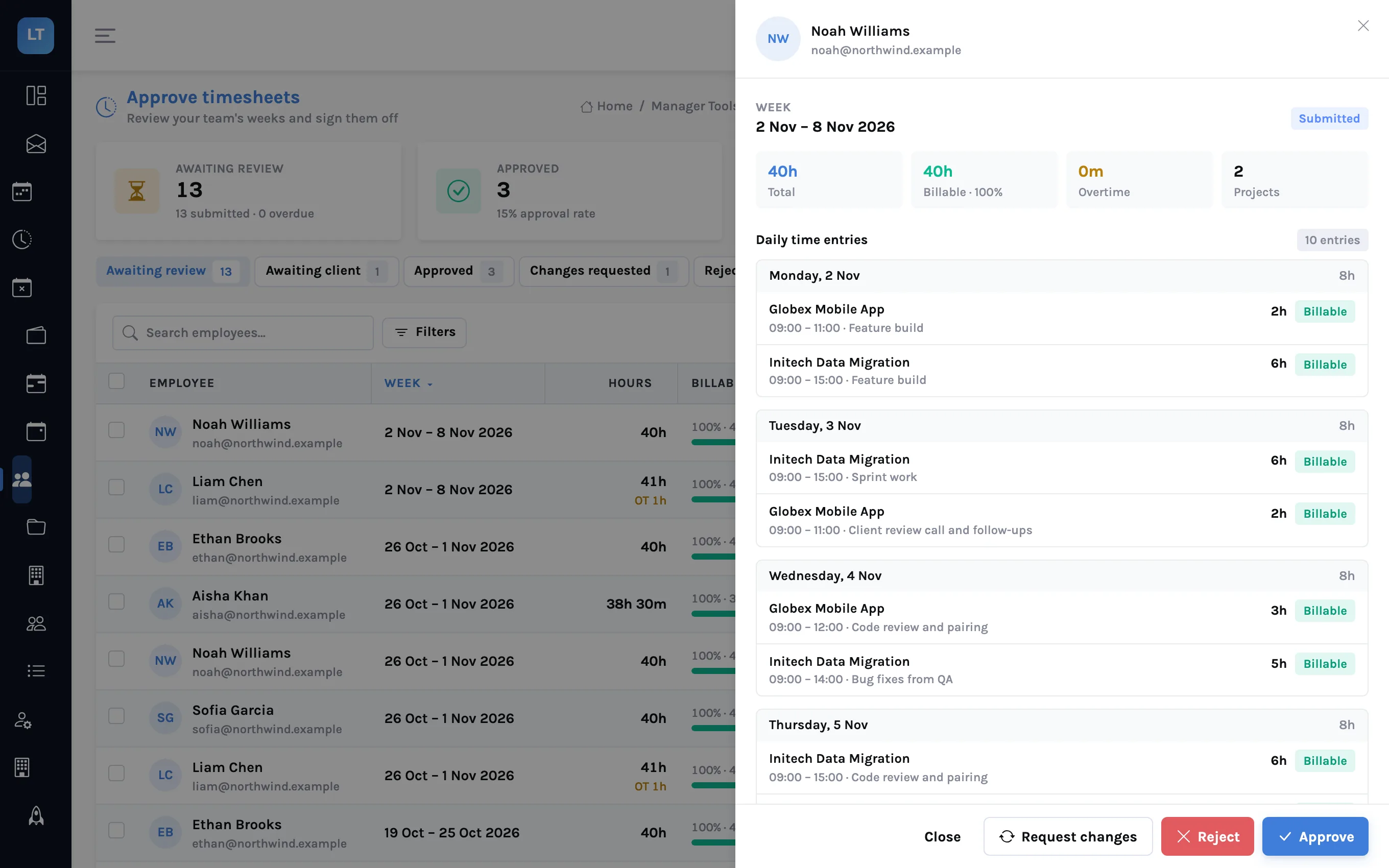
Review a week in one sheet
A manager opens a submitted week and sees every entry by day, the billable share, overtime, the employee's notes and any attached documents, then approves, asks for changes or rejects.
- Approve one week, a selection, or everything pending
- A reason is required to reject or to ask for changes
- Filter by project and export the list to CSV
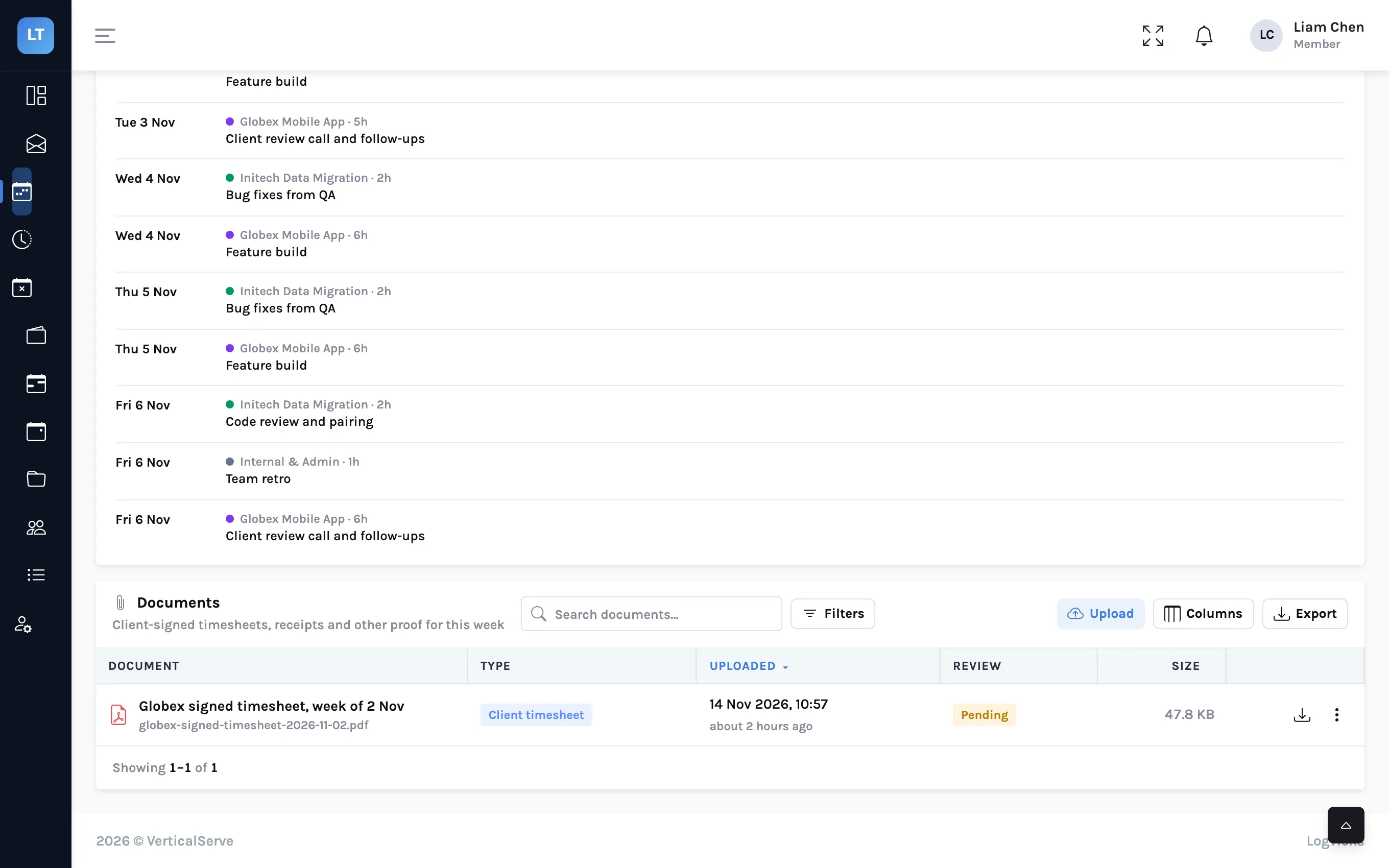
The client approves in their own queue
Name a client approver on a project. After your manager approves a week worked mostly on that project, it goes to that person, who sees only what is waiting for them and approves it or sends it back with a note.
- A separate role that sees nothing else in your company
- Attach the sheet signed in the client's own system as a PDF or image
- The decision and the note stay on the timesheet's history
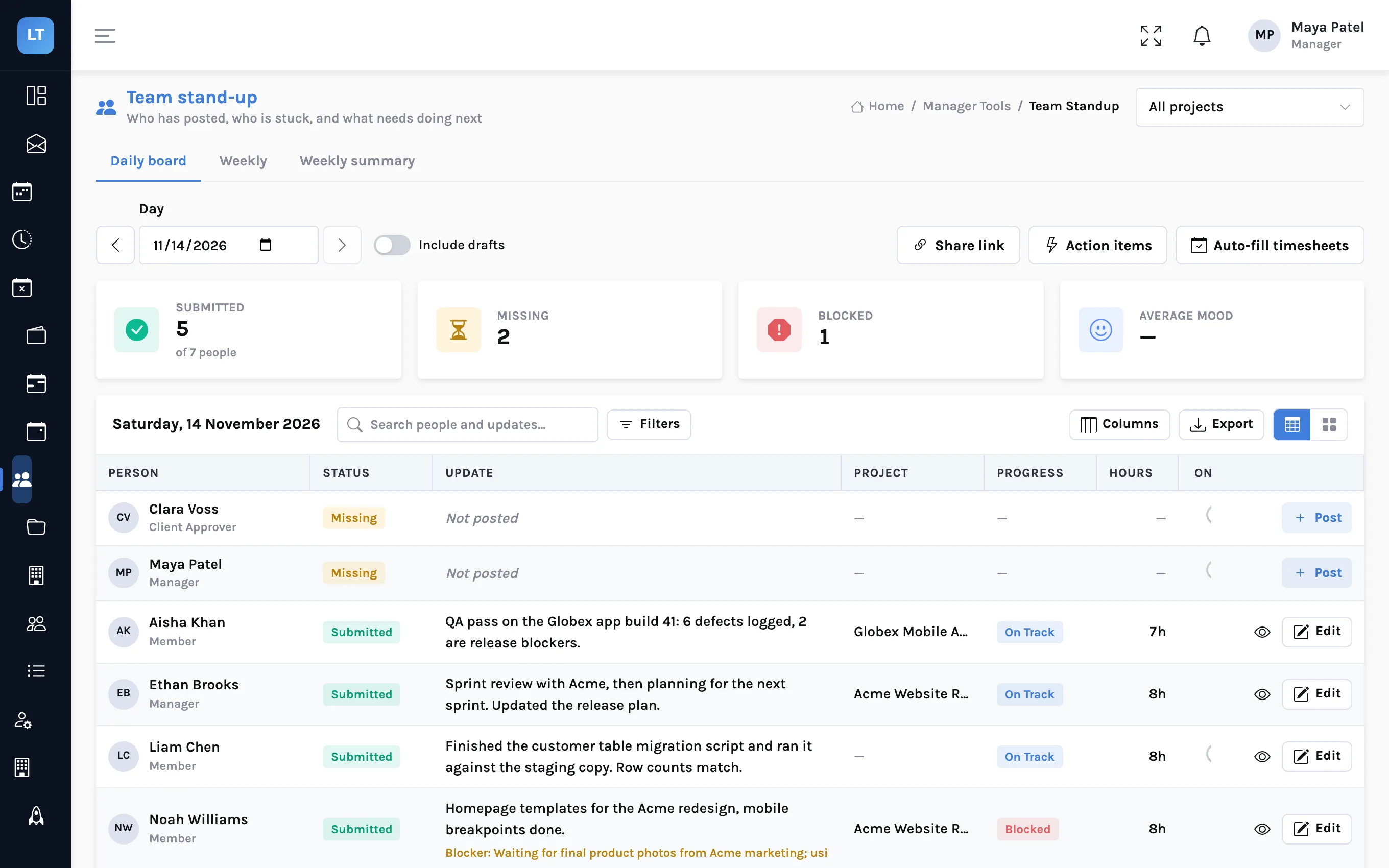
See who posted, who is stuck, and what is next
People post a short daily status: what they did, what is in the way, what comes next, and the hours. The manager's board shows who has posted and who is blocked.
- Post from the app, from Google Chat with
/status, or from a shared link - AI-drafted action items from the day's statuses
- Create timesheet entries from a week of statuses, after a preview
Balances people can read without asking
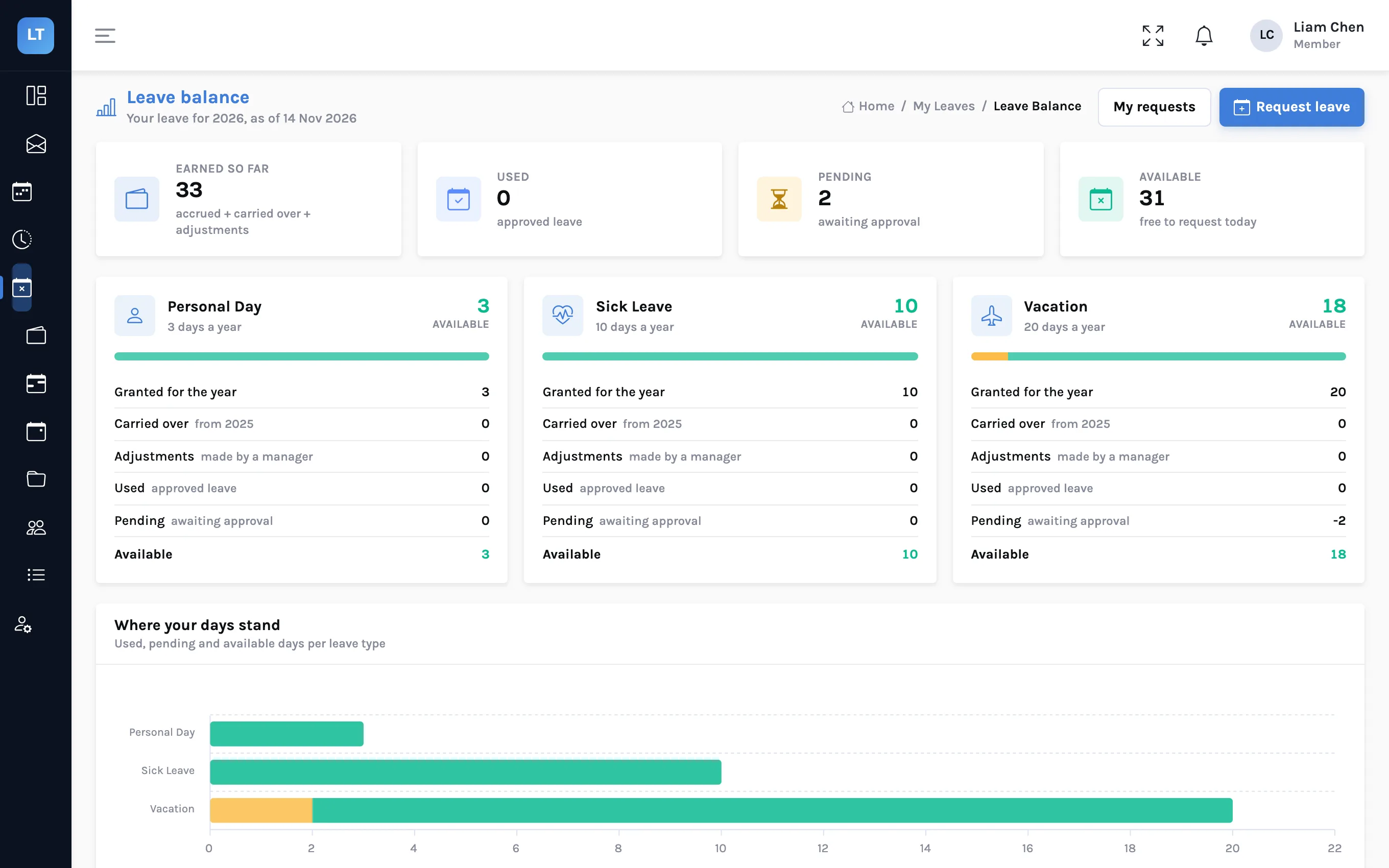
Define your own leave types and let people request days against them. The request counts working days, the rules of the leave type are applied, and managers approve from one queue.
- Notice, longest stretch, half days and negative balance enforced per leave type
- A yearly grant or monthly accrual, with carry-over when the year is closed
- Public holidays imported for eight countries, plus your own company days
- Export the team calendar for a month
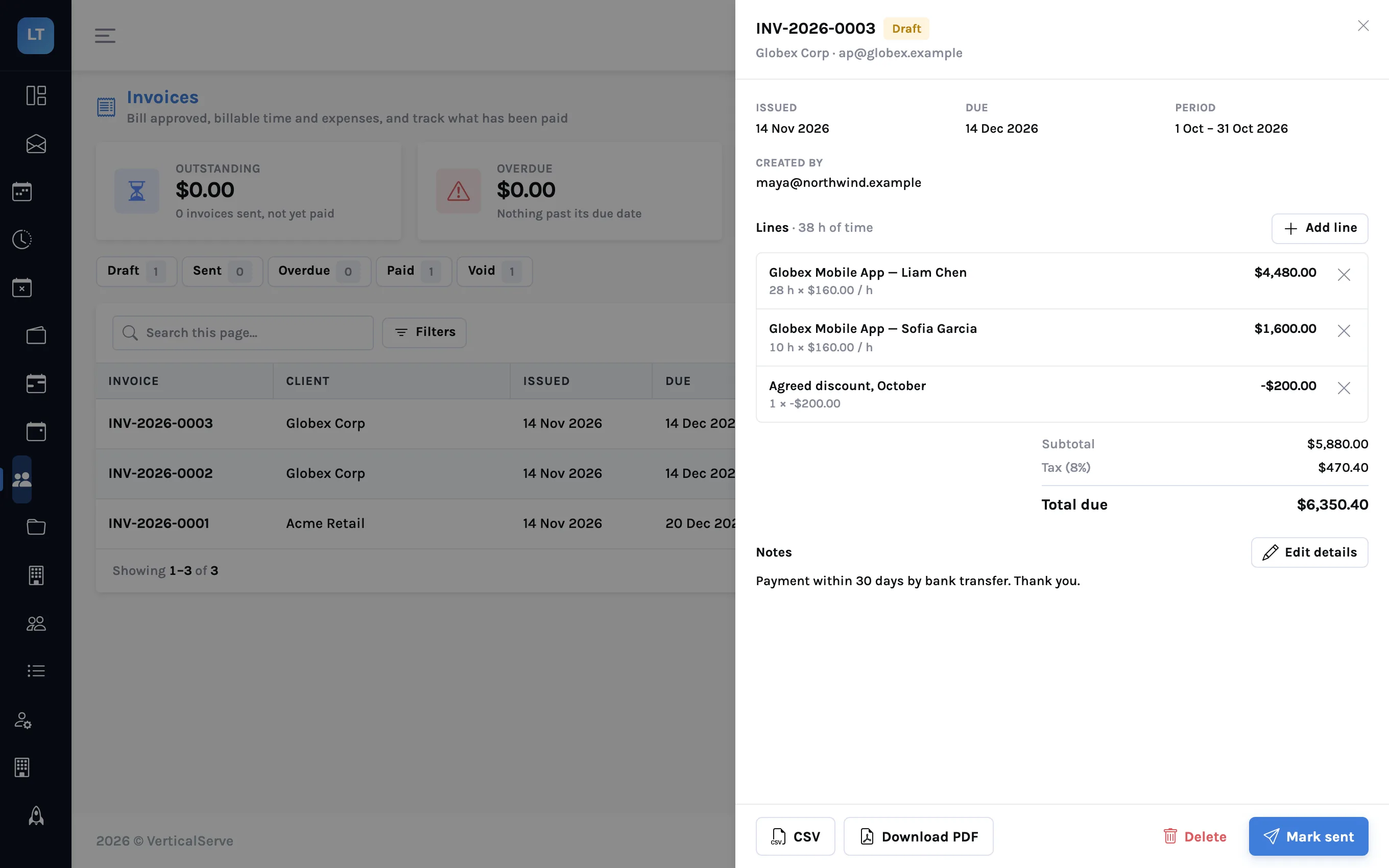
Invoice only what has been approved
Pick a client and a period, and LogTicks drafts an invoice from the time that is billable, on that client's projects, and in weeks whose timesheets are fully approved. Time already on an invoice is never offered twice.
- One line per project and person, at that person's rate or the project's
- Approved, billable expenses on the client's projects are added as their own group
- Add a tax percentage, extra lines, or a negative line for a discount
- Download the PDF or CSV, then mark it sent and, later, paid
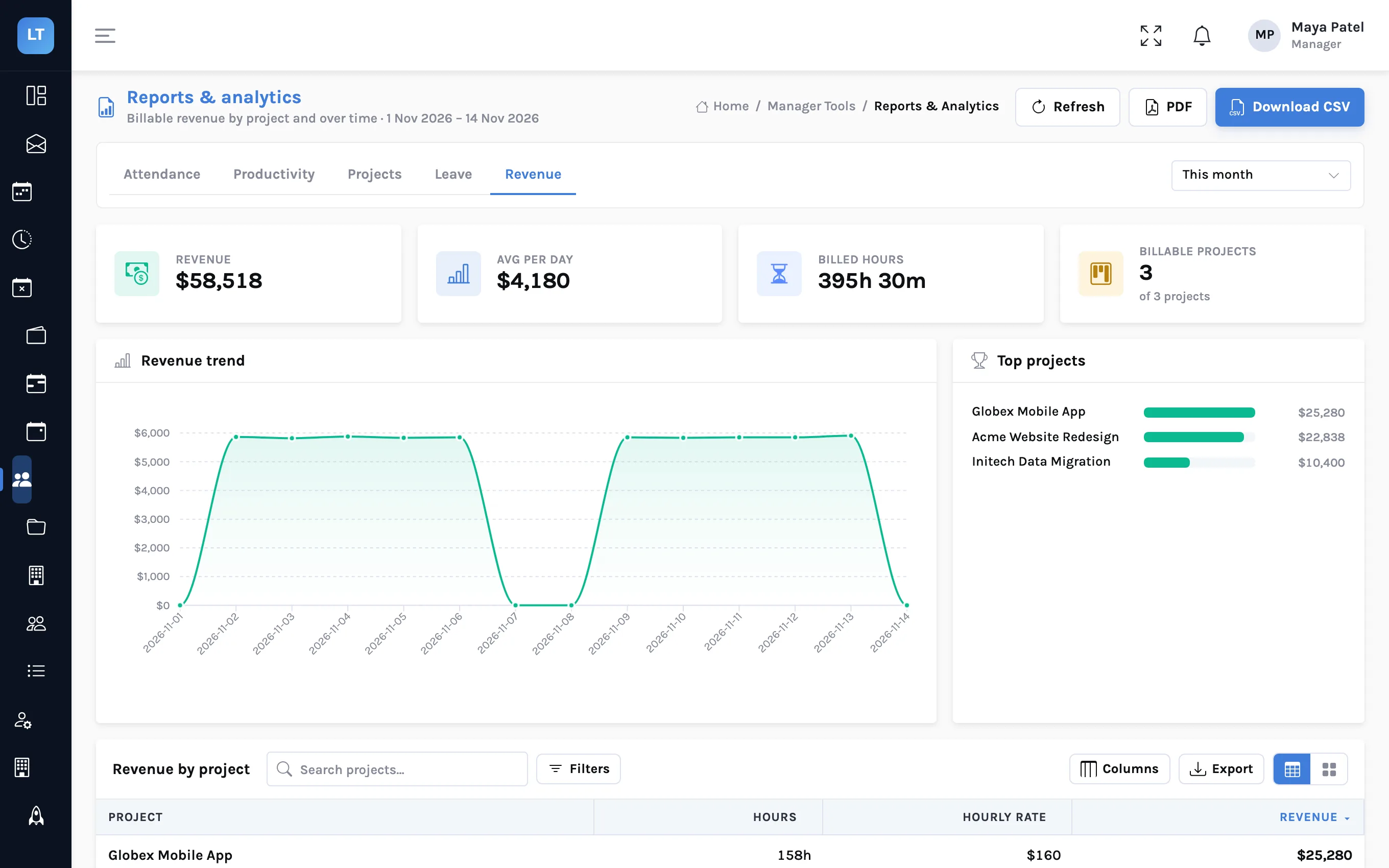
Hours, budgets and revenue by project
Each project has a client, an hourly rate, a budget and an estimate. Reports cover attendance, productivity, projects, leave and revenue, and export to CSV and PDF.
- Budget used and hours against the estimate on every project
- Revenue by project: billable hours in the period, at the rate they are billed at
- A manager dashboard for the team's week
The parts around the timesheet
Project rules
Limits on hours, late or future entries and missing descriptions that block a save, warn, or alert the manager.
Expenses
Receipts, approval and reimbursement tracking. Approved billable expenses go on the client's invoice.
A timer that follows you
Start it on one device and stop it on another. Log time against a task as well as a project.
Two-factor sign-in and an audit log
Authenticator-app codes, required for managers or for everyone if you choose, and a record of who did what.
API keys and webhooks
Personal keys for scripts, and signed webhooks when timesheets, leave and invoices change.
Installable
Install the console from the browser on a phone or desktop. Quick entry queues time while you are offline.
From the first entry to the client's yes
Teams whose hours someone else has to agree
Consultancies and agencies
Billable and non-billable time by project and client, budgets against estimates, and invoices drafted only from approved weeks.
Staffing firms
Contractors placed at clients, each client signing off the hours, and the client's signed sheet kept with the week.
Distributed product teams
Async stand-ups, a holiday calendar per country, and one place to see who is away.
Free up to 5 users, then $5 per user
Approvals, client sign-off, invoicing, expenses, stand-ups and leave are included on every plan.
What LogTicks is not
It installs from the browser, but it is not an app-store app, and offline only Quick entry keeps working. Invoices are created and tracked here, but not emailed, paid online or synced to accounting software. Its chat app is for Google Chat, and there are no Slack, Microsoft Teams or Zapier connectors. If you need those, the comparison page names products that do them well.
Guides with real screens
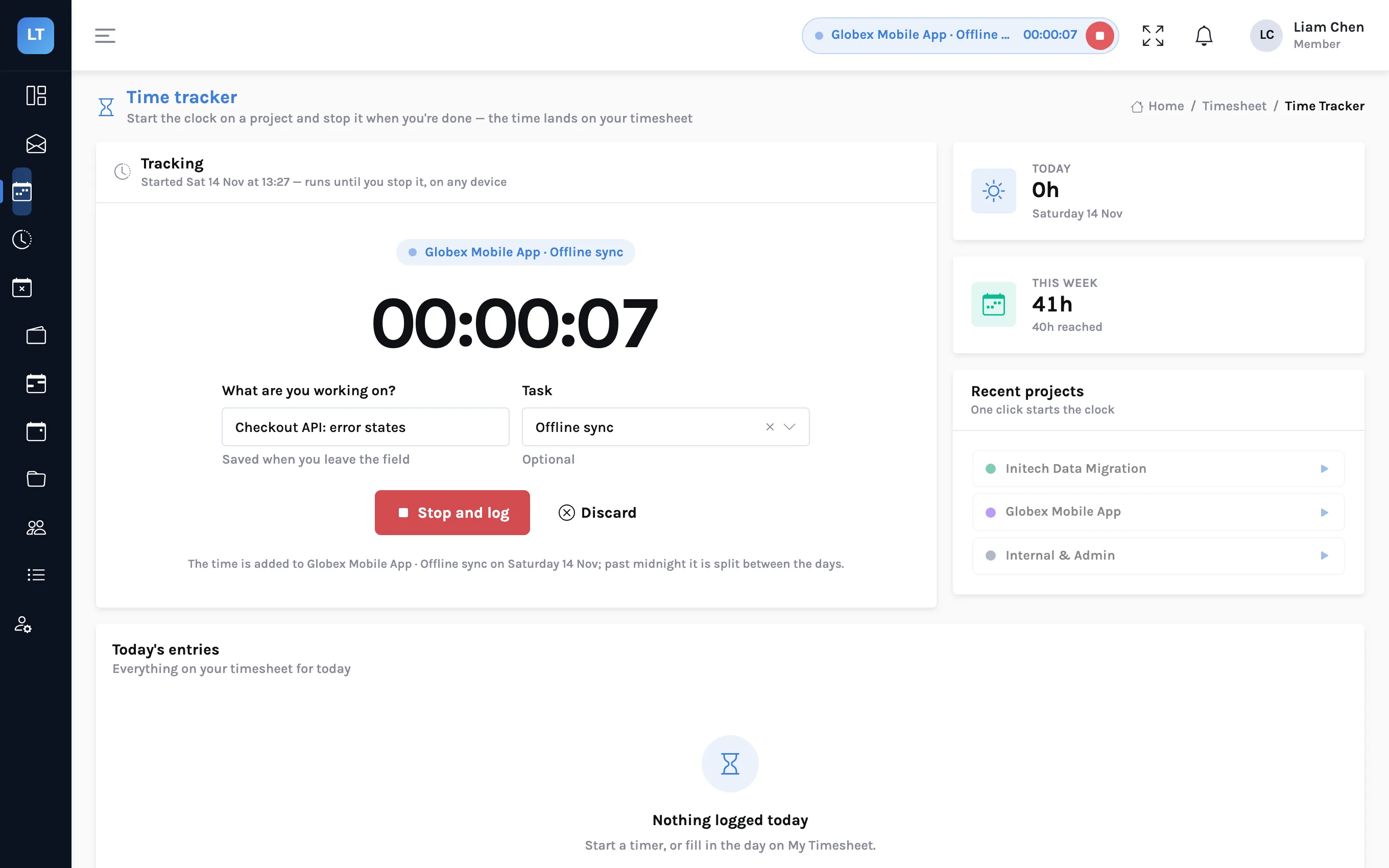
Timing work across devices, and logging it against tasks
Start a timer on your laptop and stop it on your phone. Log the time against a task as well as a project. Install LogTicks from the browser, and keep Quick entry working without a signal. What each of these does, and where it stops.
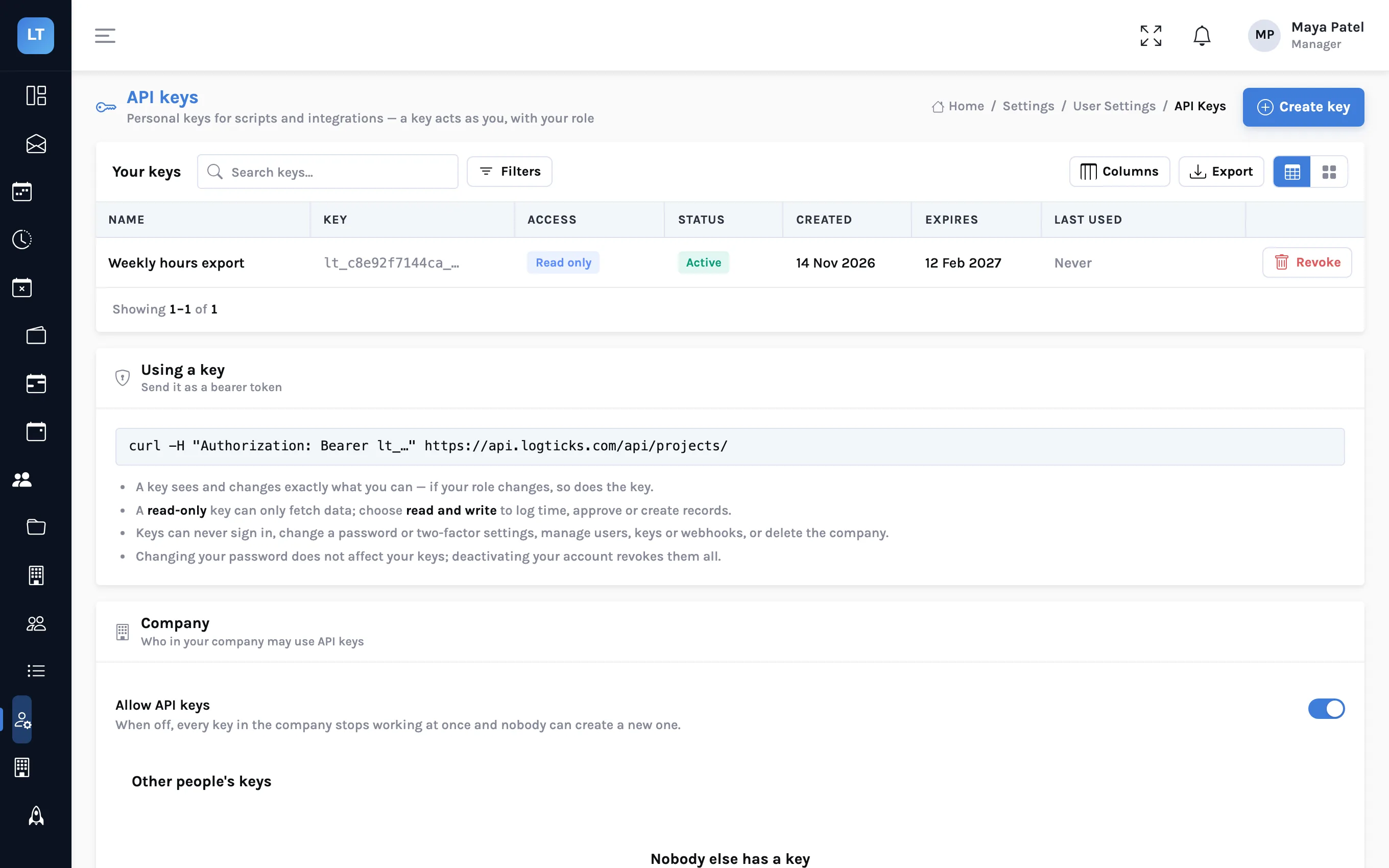
Connect LogTicks to your own tools: API keys and webhooks
Pull a week of hours into a spreadsheet with a personal API key, and have LogTicks tell your own system when a timesheet is approved or an invoice is paid. With curl examples and a signature check you can copy.
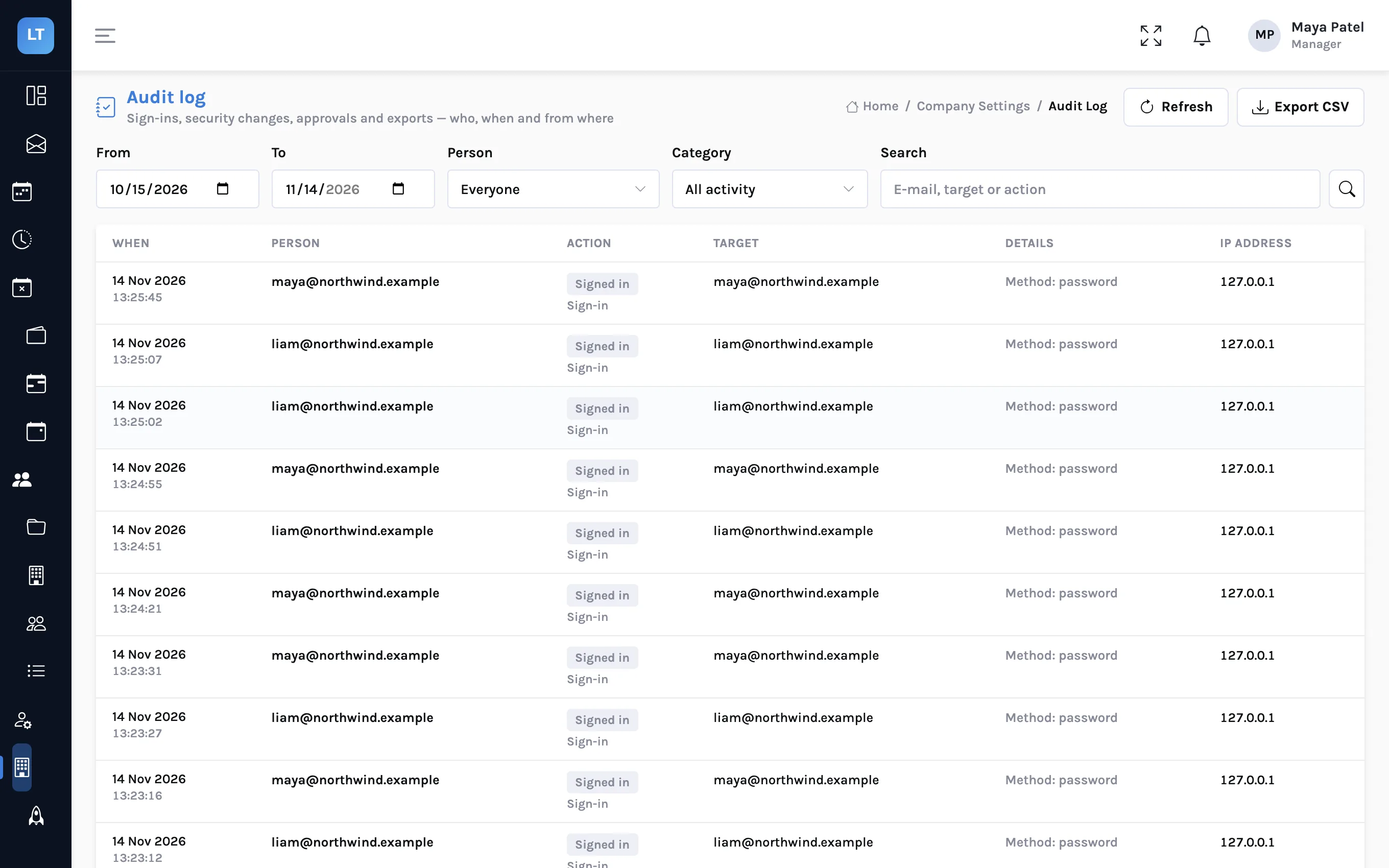
Two-factor sign-in and an audit log for a small team
A small firm holds its clients' hours, rates and invoices behind a handful of passwords. How to turn on authenticator-app codes, require them for managers or for everyone, and read the audit log when someone asks who did what.
Run next week's timesheets in LogTicks
The Free plan covers up to 5 users. Create a company, add a project, and log the first week.